

Eureka Software • Lead Designer • 2022
Digitizing a decade of manual workflows
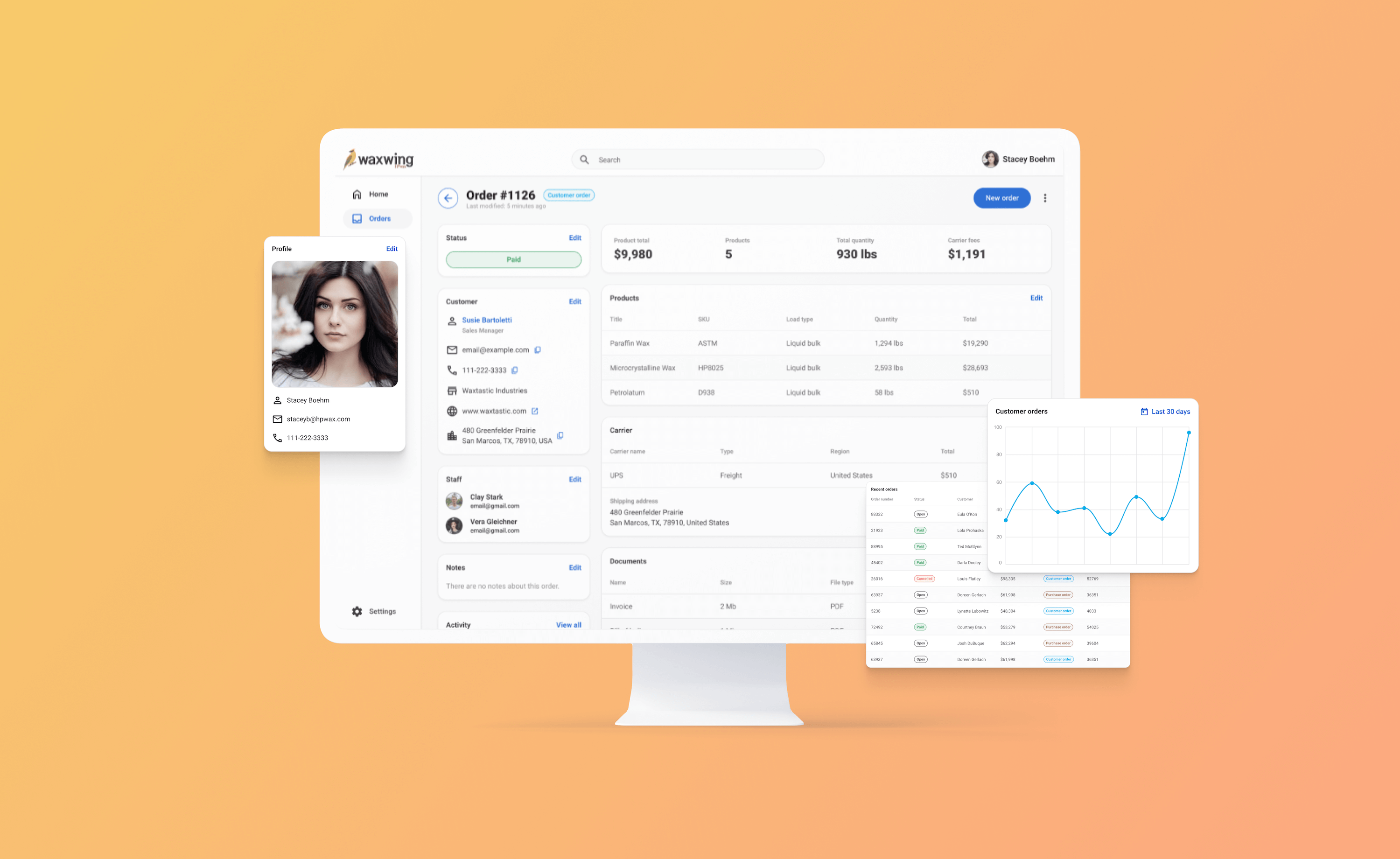
Waxwing is a custom internal tool to manage customer relationships (CRM), order management (OMS), and staff activity. The app is for Hase Petroleum Wax Company, a wax reseller for wax producers throughout North America. This app evolves the company's decade-long workflow of handwritten papers into a functional and organized digital database.
0:00 / 0:00
Problem
The company currently relies on manual paper-based methods to manage its inventory and orders, resulting in time-consuming processes and an increased risk of errors. Moreover, the documentation of orders lacks consistency among employees, making it challenging to refer to past orders or seamlessly handle orders between team members.
Proposal
I designed a custom order management tool for a wholesale wax company that meets and builds on the company's current order management process. This app also needs to allow for flexibility to extend functionality as the company and processes evolve.
Impact & outcomes
Transforming a decade of paper trails into a streamlined digital workflow significantly reduced administrative overhead.
Order Processing
-75%
Reduction in time-to-ship for new features due to reusable components and standardized tokens.
Annual Volume
$4.5M+
Total value of inventory and orders managed digitally, streamlining operations for the 30-person team.
User stories
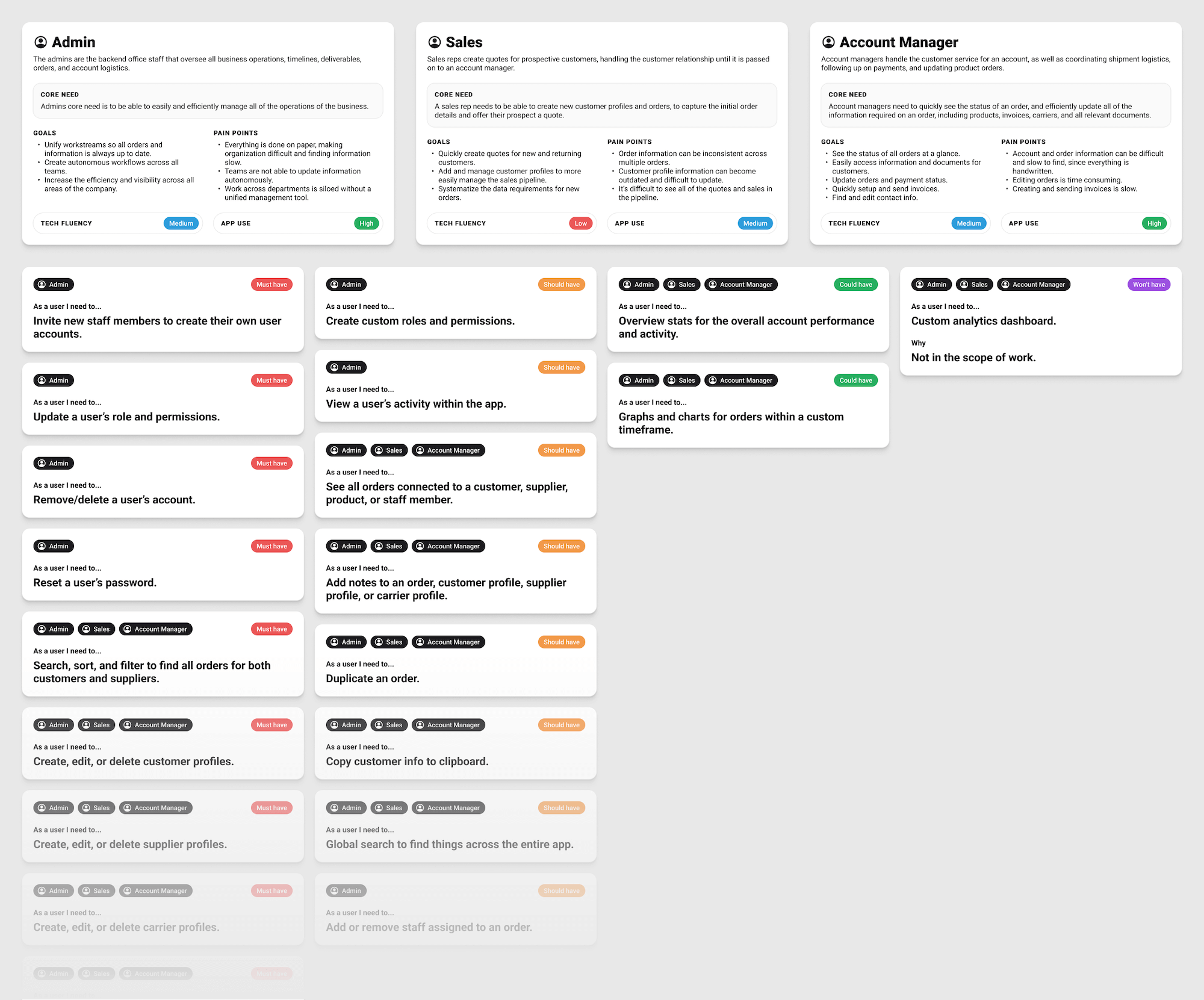
Given the variable and unique nature of the company's products (bulk wax), it was especially important to understand the client's users, their needs, and business workflows. The company's three primary user personas are Admin staff, Sales staff, and Account Managers, all with varying degrees of technical fluency and estimated app usage. From there the team and I created user stories, prioritized by the MoSCoW method: "must have," "should have," "could have," and "won't have."
Design system
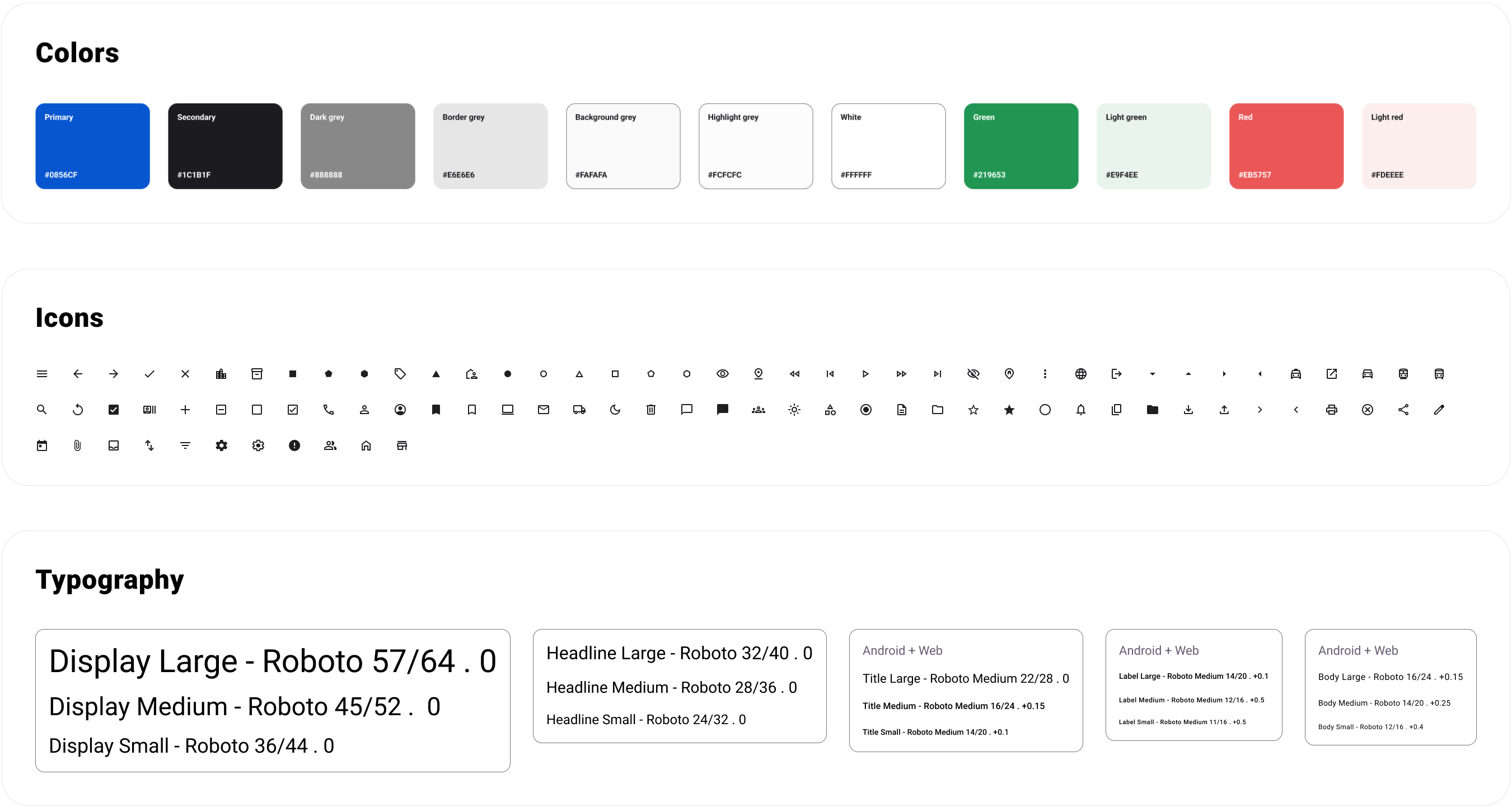
The design system uses Google's Material 3 design system, with some customizations like color, typography, and grid spacing. Starting with a predefined design system allows the development team a much faster development cycle, since most of the components are "defined" out of the box. The color customizations are mainly the primary and secondary colors, in addition to border colors and background surfaces. Most (if not all) of the component styling remains the default Material design.
Information architecture
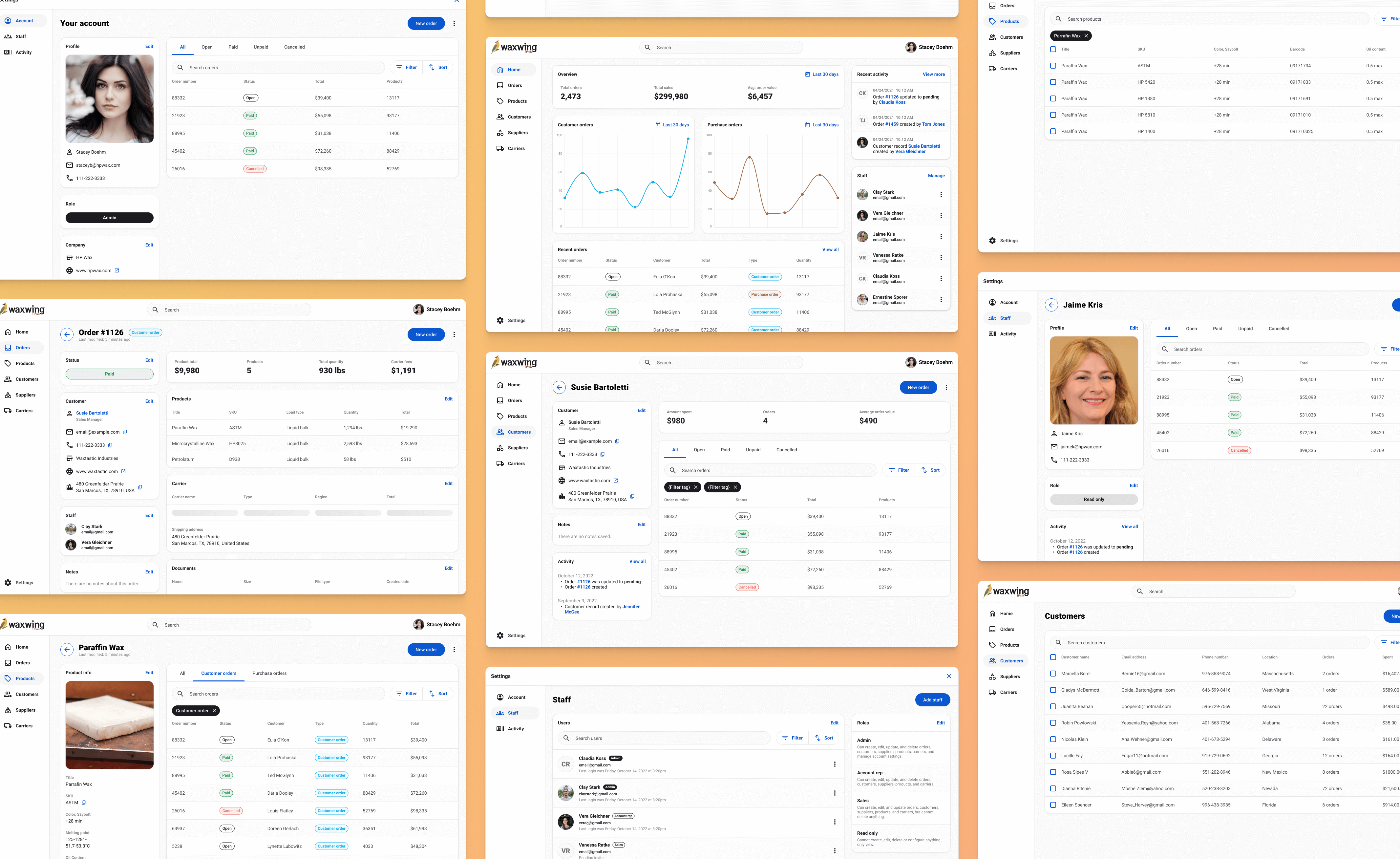
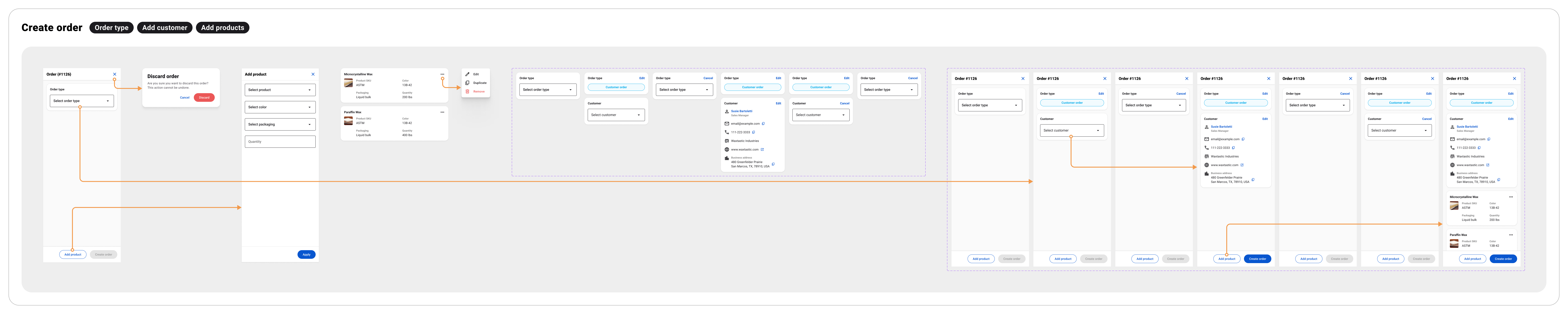
The product was designed so that "Orders" are the central pillar, supported by several different data types. For example, customer records, products, carriers, and suppliers all compile into what fills out an order. In other words, these data types are the foundational setup for an order. Orders are then connected back to user accounts, products, carriers, etc. The primary influence this has on functionality is that orders can be created from multiple places throughout the product admin. This streamlines and simplifies the user experience.
Security and access control
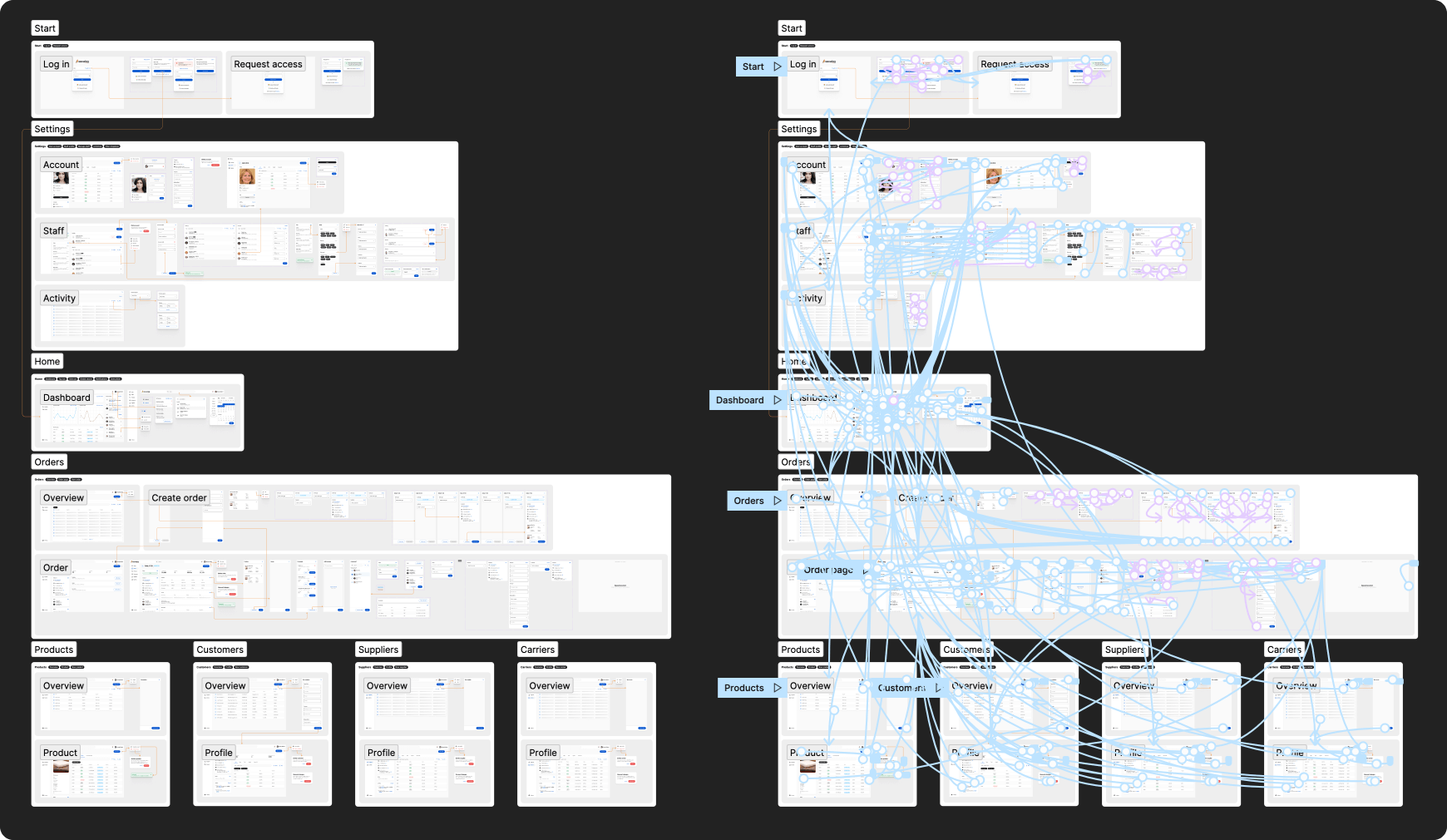
This product is an internal tool, so users should not be able to sign up without having to request access from a system admin. Because of this, users are presented with a login screen where they can either log in or request access. Requesting access sends account admins a notification within the app that a user is requesting access. If accepted, that user is sent an email with a link to create their user profile. Additionally, social logins allow easier access to the app for existing a new users.
Dashboard
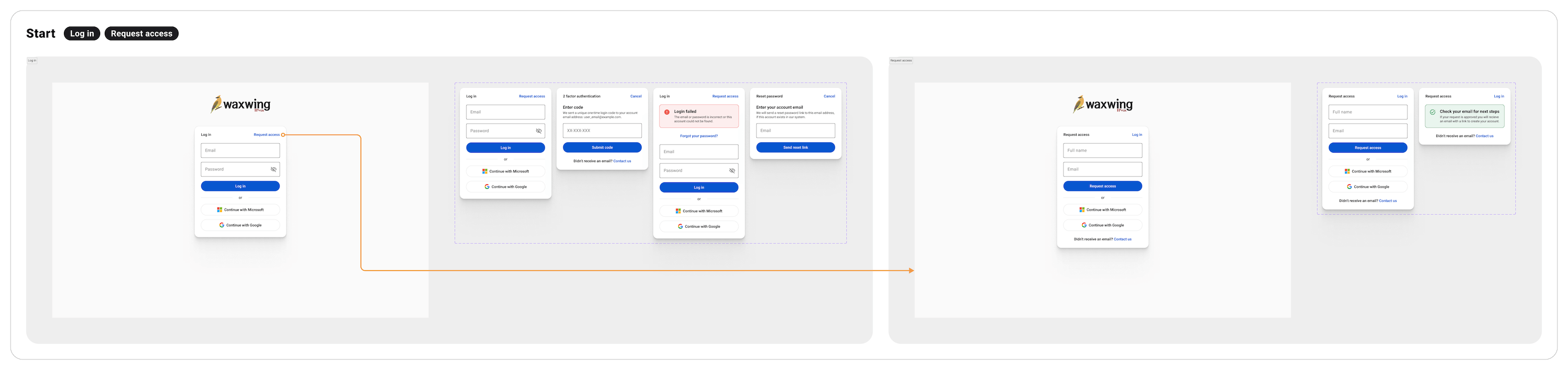
The home dashboard gives a quick snapshot of the account, with big stats for total orders, total sales, and average order value. Line graphs for customer orders and purchase orders can be filtered by dates. A recent orders table displays 10 of the most recent orders (either by created date or by last updated). The right column of the dashboard displays recent account activity, and an overview of the staff user profiles.
Settings
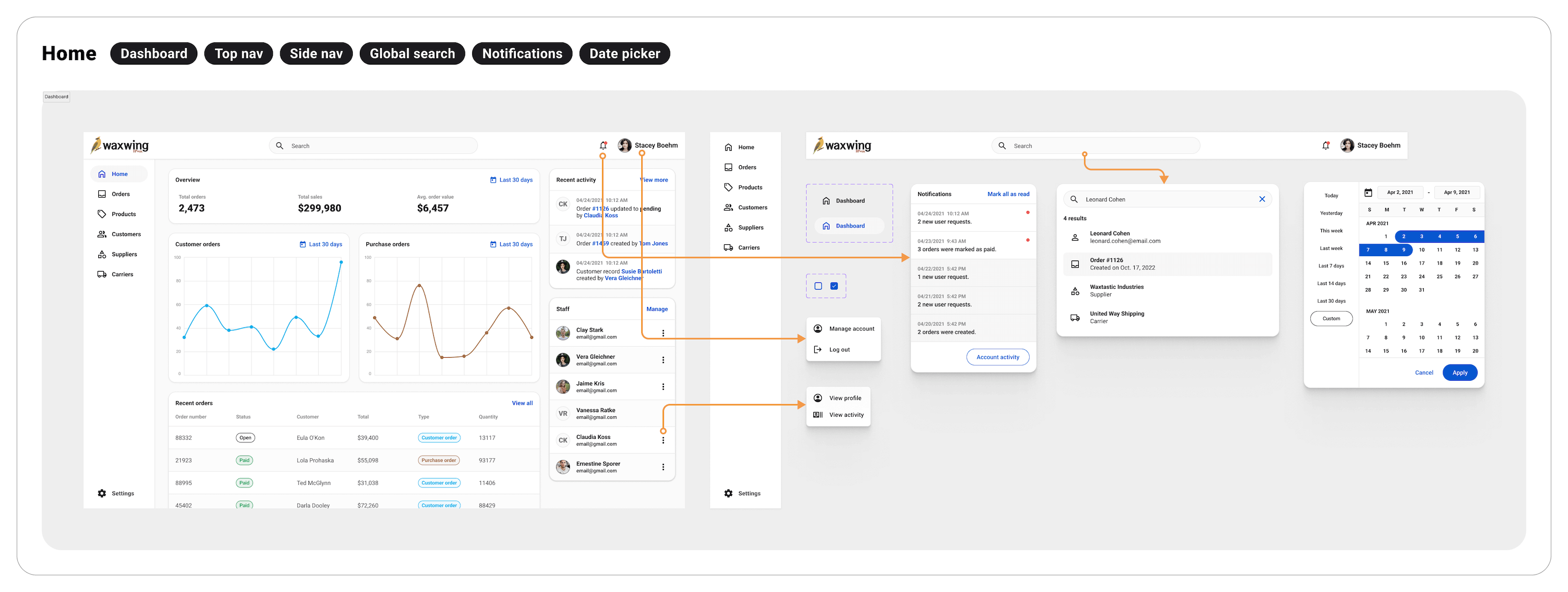
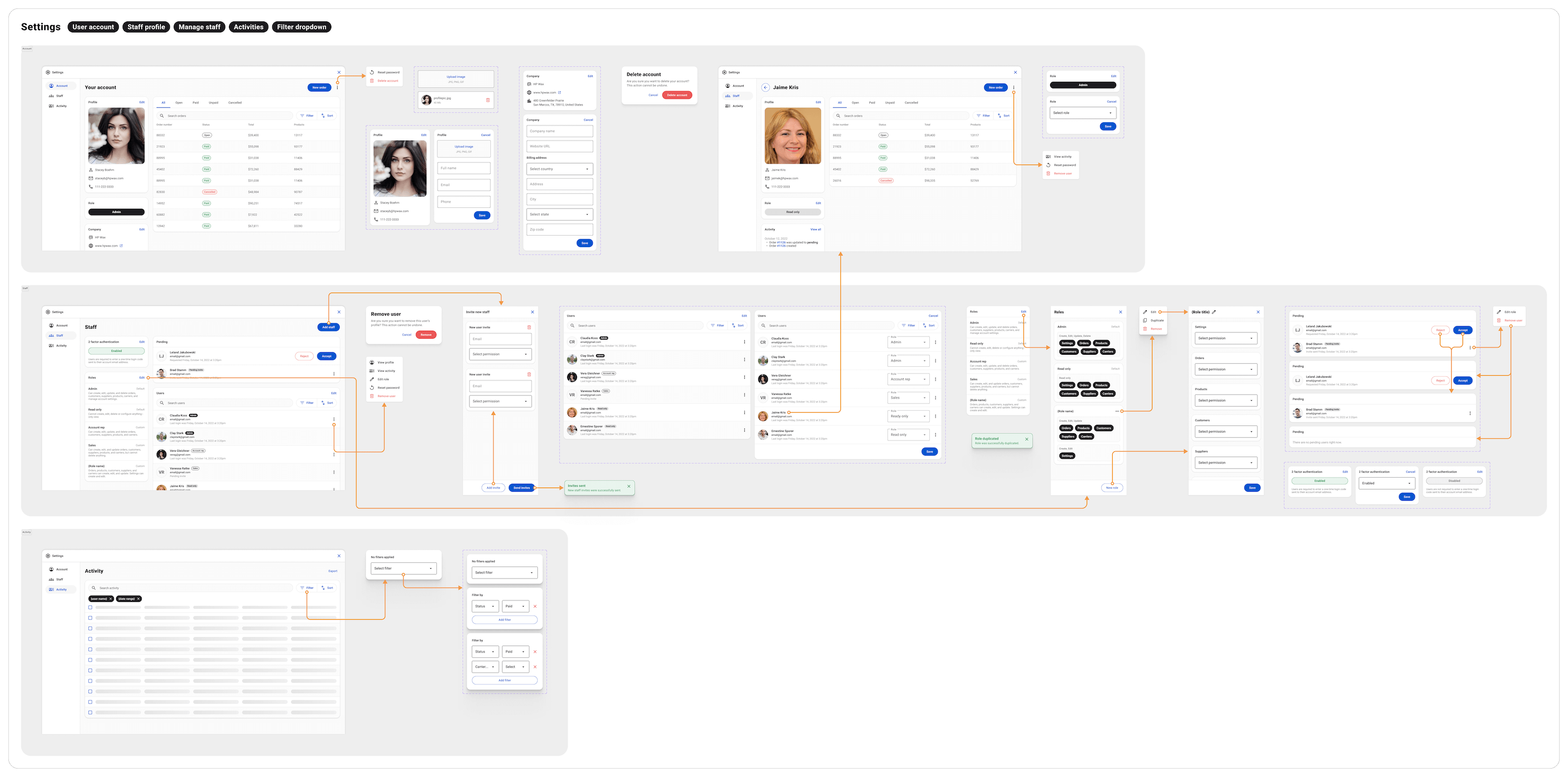
Settings opens as a nearly fullscreen modal, which allows users to update account settings without needing to leave where they were in the app. Within settings is a user's individual profile page (and all of their connected orders), staff user accounts, account access requests, pending account invites, roles and permissions, 2 factor authentication settings, and an account activity feed.
Orders
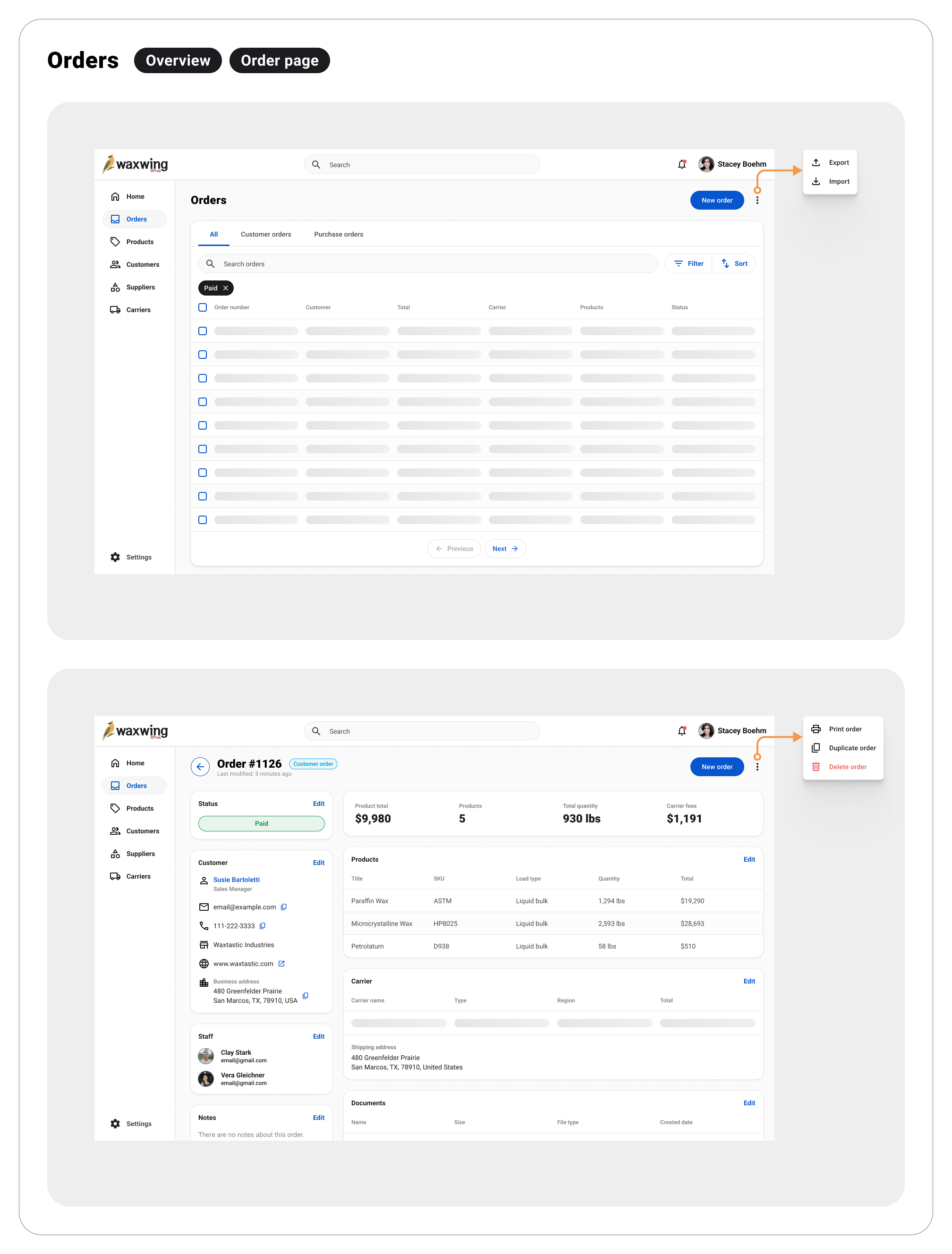
Orders are the centralizing content element in the app. All data sources ladder up to an order. Orders can be found from the orders overview page, which is a table of order records that users can search, sort, and filter. New orders can be created from the overview, but clicking on an order record will take the user to that order's individual page. The order page is where users can manage an order, including updating the order status, adding notes, assigning staff to the order, adding or removing products, adding or editing a carrier, uploading documents (like bill of lading, invoices, etc.), and managing customer info.

Data sources
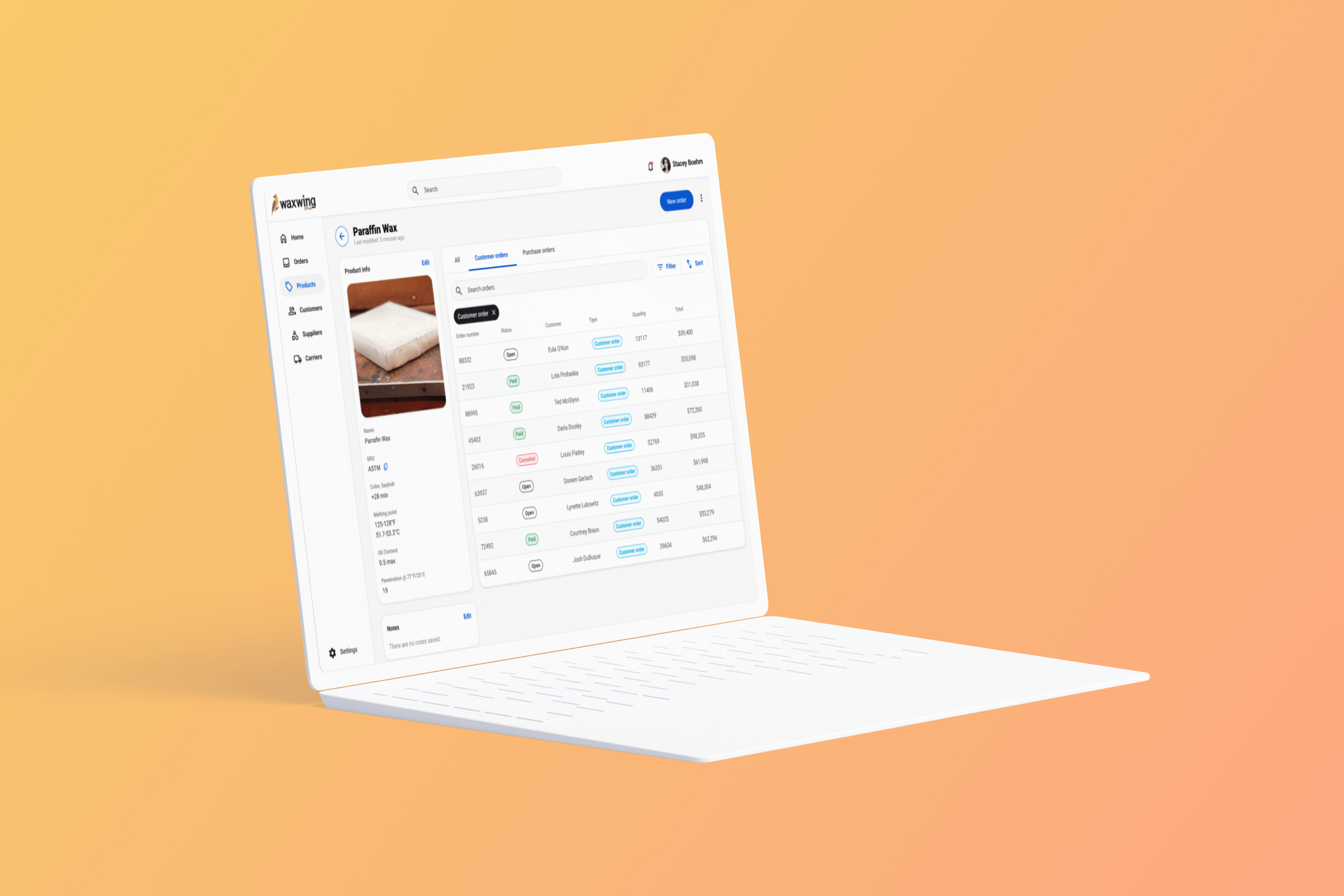
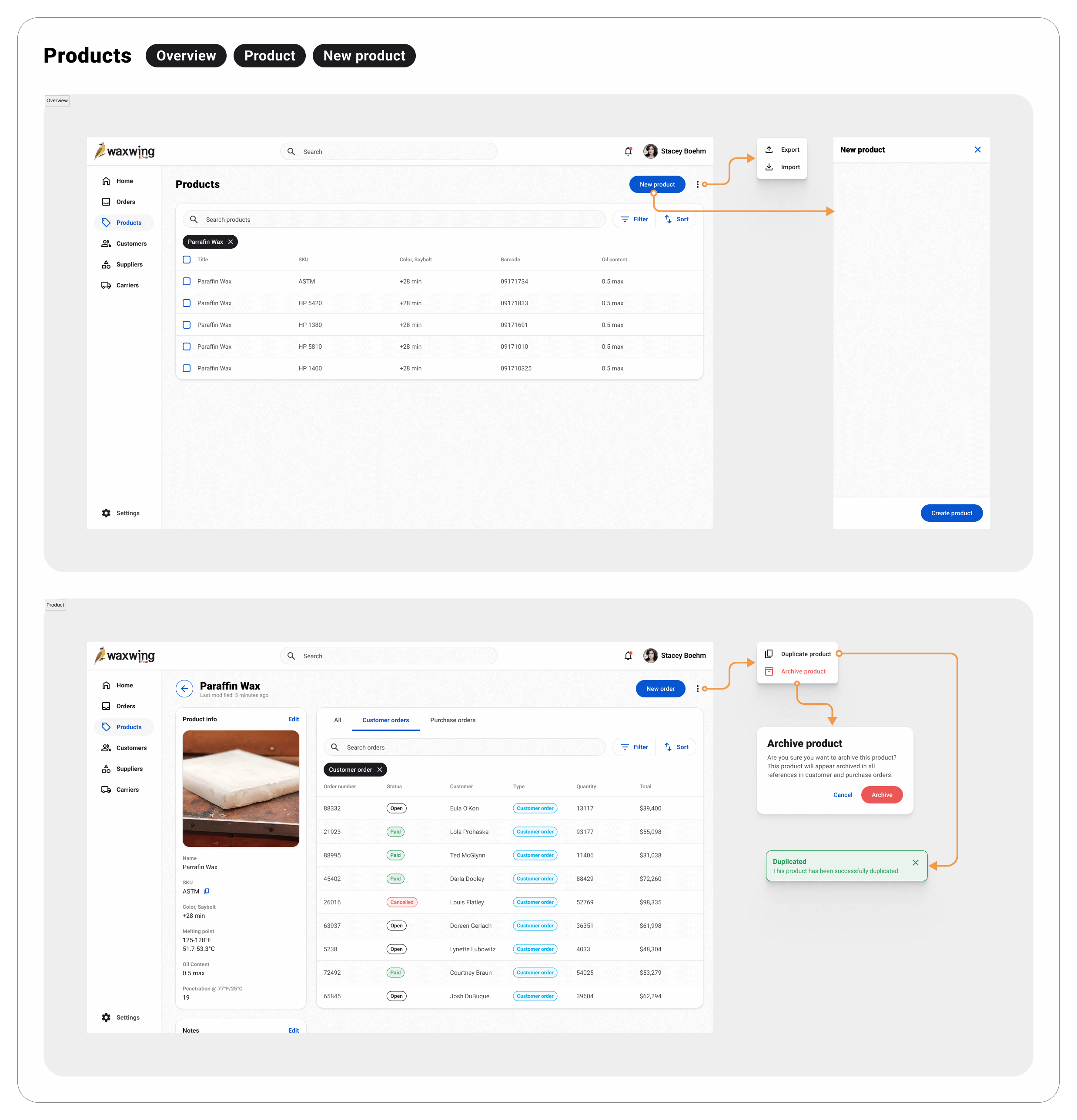
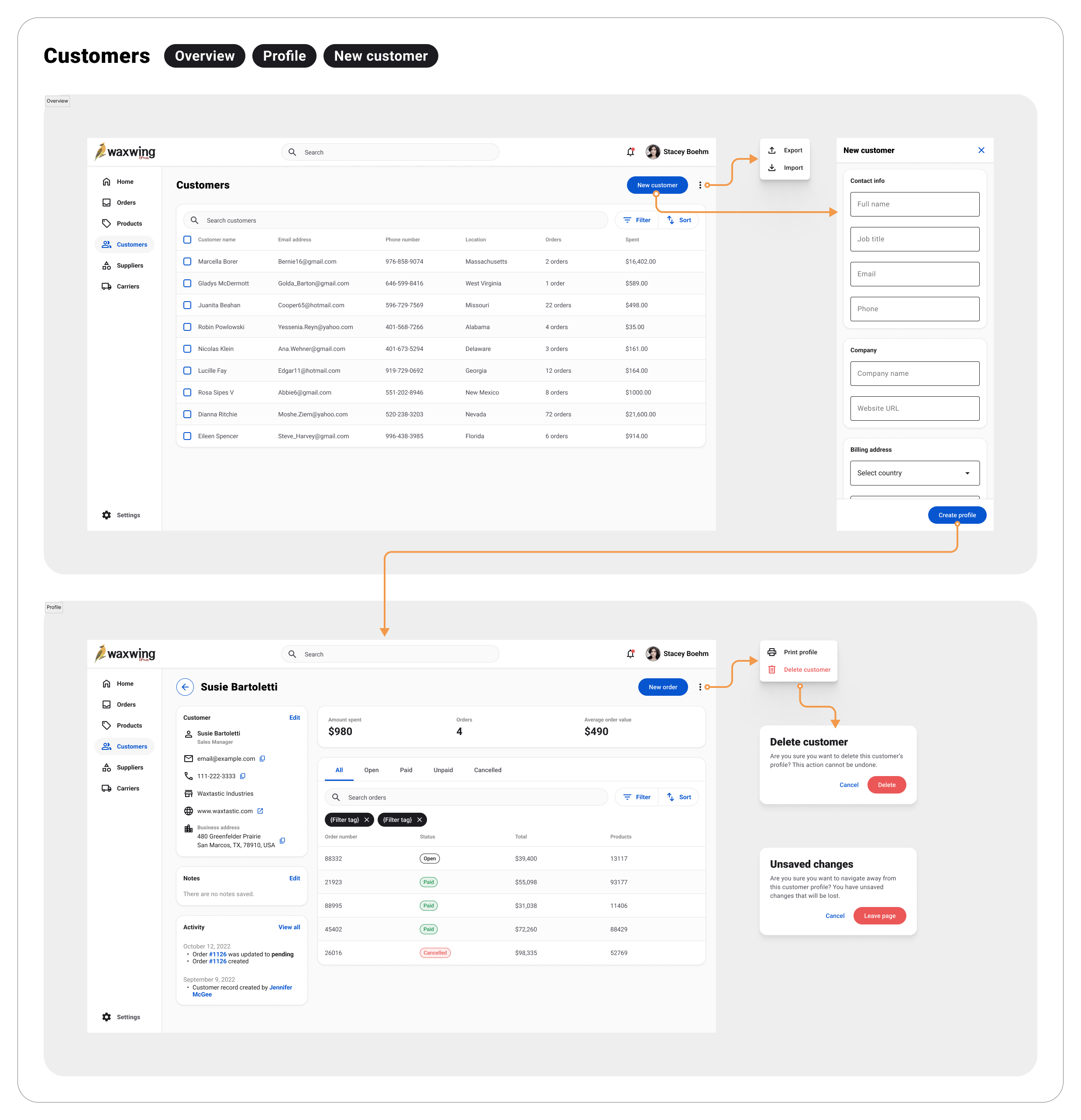
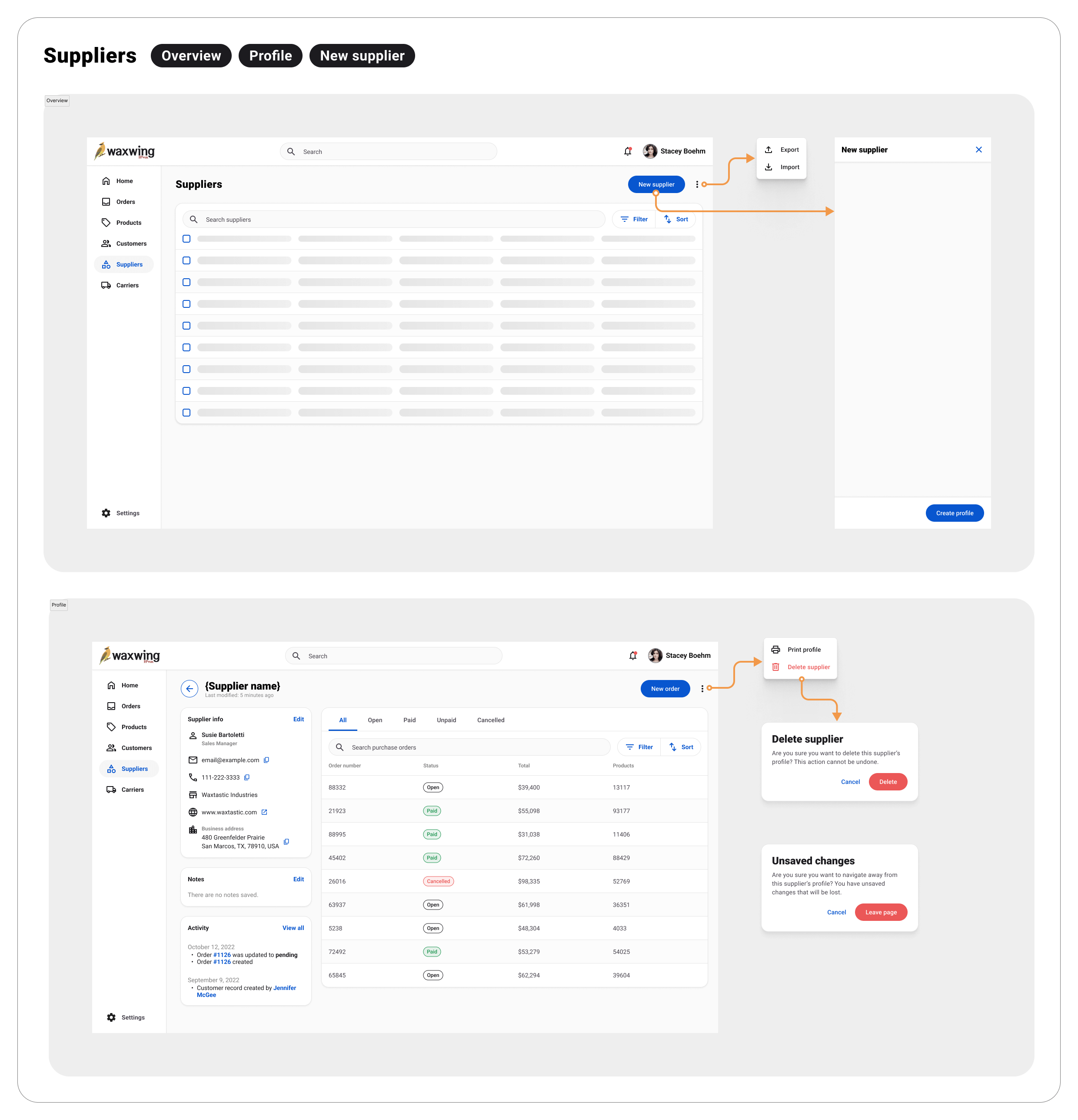
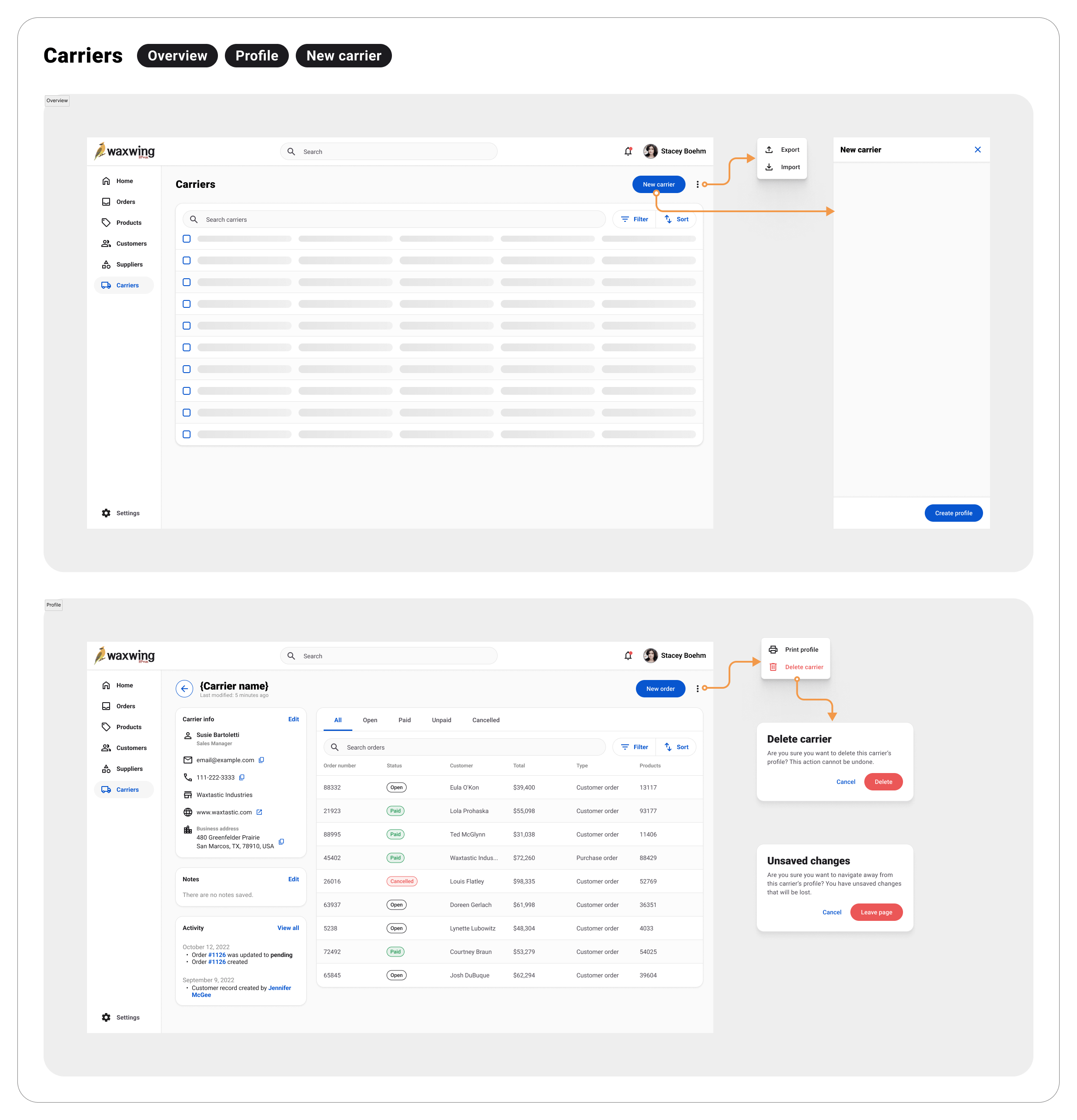
Products, customers, suppliers, and carriers are the data sources that comprise orders. Each data source has it's own "profile" page, where users can manage the information associated with that record. For example, products include product data like SKU, name, weight, etc. and customer records contain information about a customer, including name, phone, email, billing address, etc. Each profile also connects back to the orders they were included in, allowing users to access orders from their source.
Skills & competencies
Key areas of expertise and methodologies applied during this project.