

Shopify • Lead Designer • 2023
A scalable custom CMS for international growth
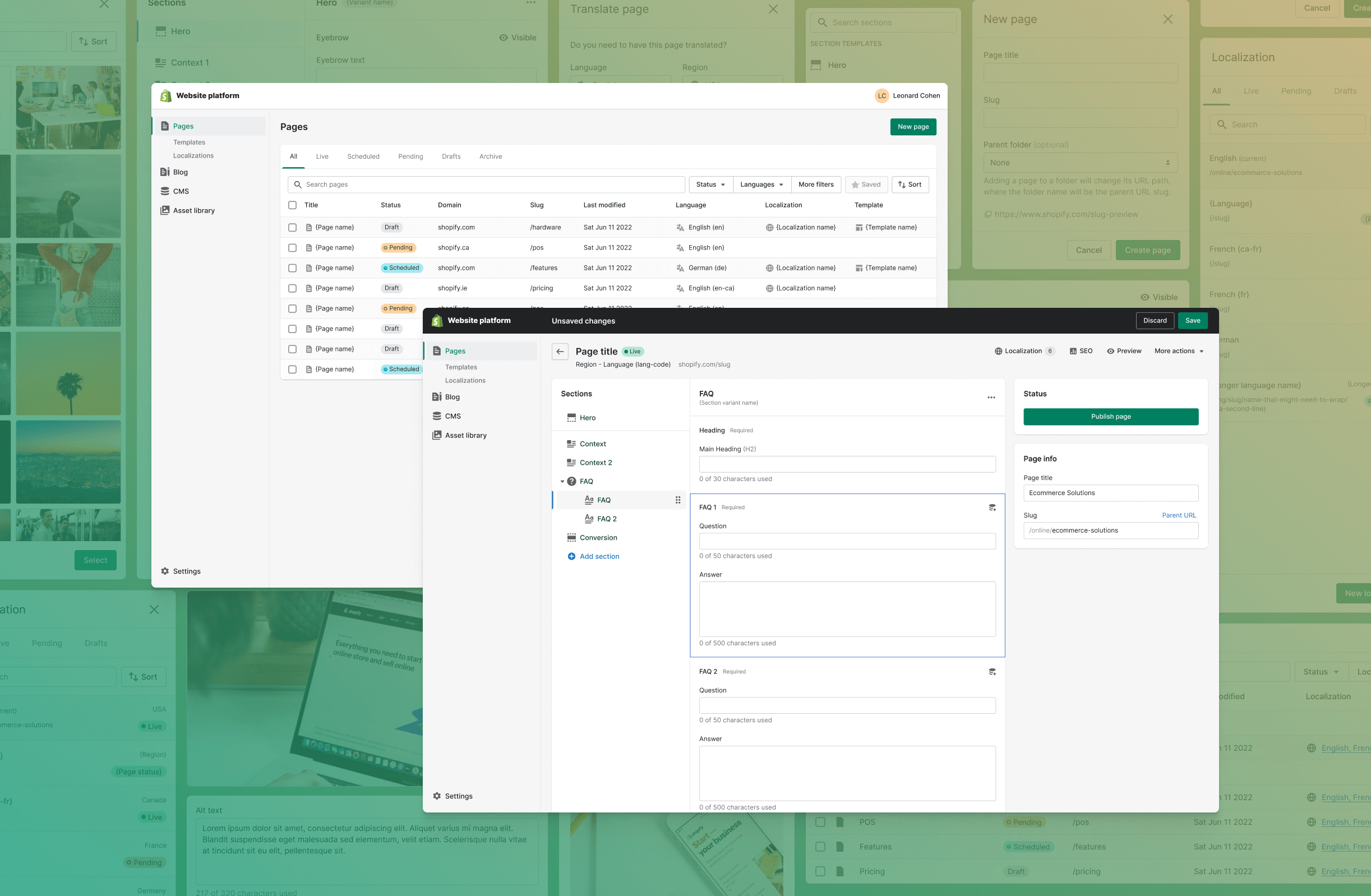
With the release of Hydrogen (Shopify's React-based framework), Shopify needed a content management system to empower their marketing teams to create, update, delete, manage, and experiment with pages across all international variations of the website. I lead the design for this project, to scope the functionality, and design the interface and user experience for Shopify's custom CMS.
0:00 / 0:00
Problem
Shopifolk spend a considerable amount of time and resources creating and updating pages on the website. The process requires engineering support, is prone to errors, and can be slow. This is an inefficient use of resources and expensive for the company.
Proposal
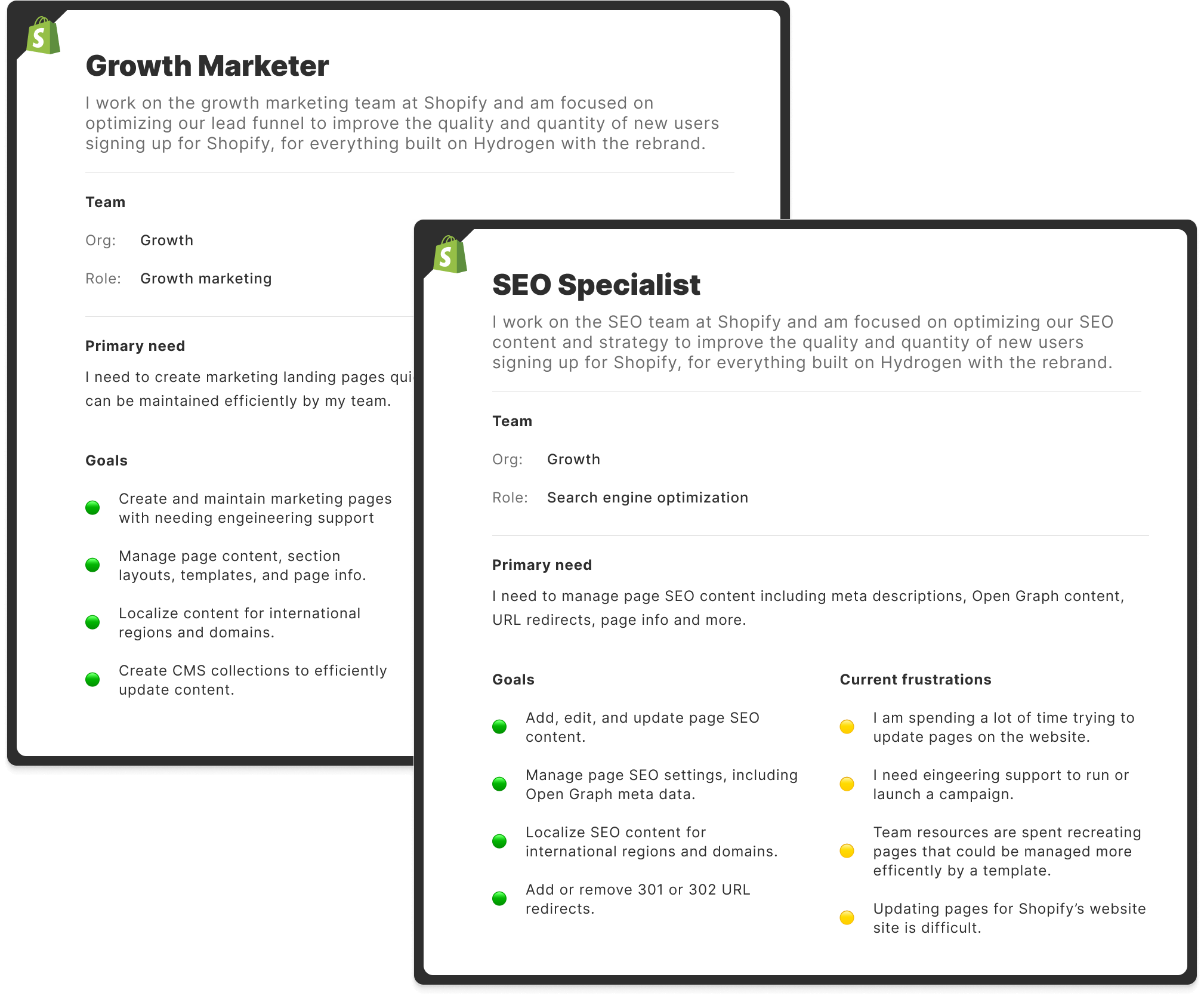
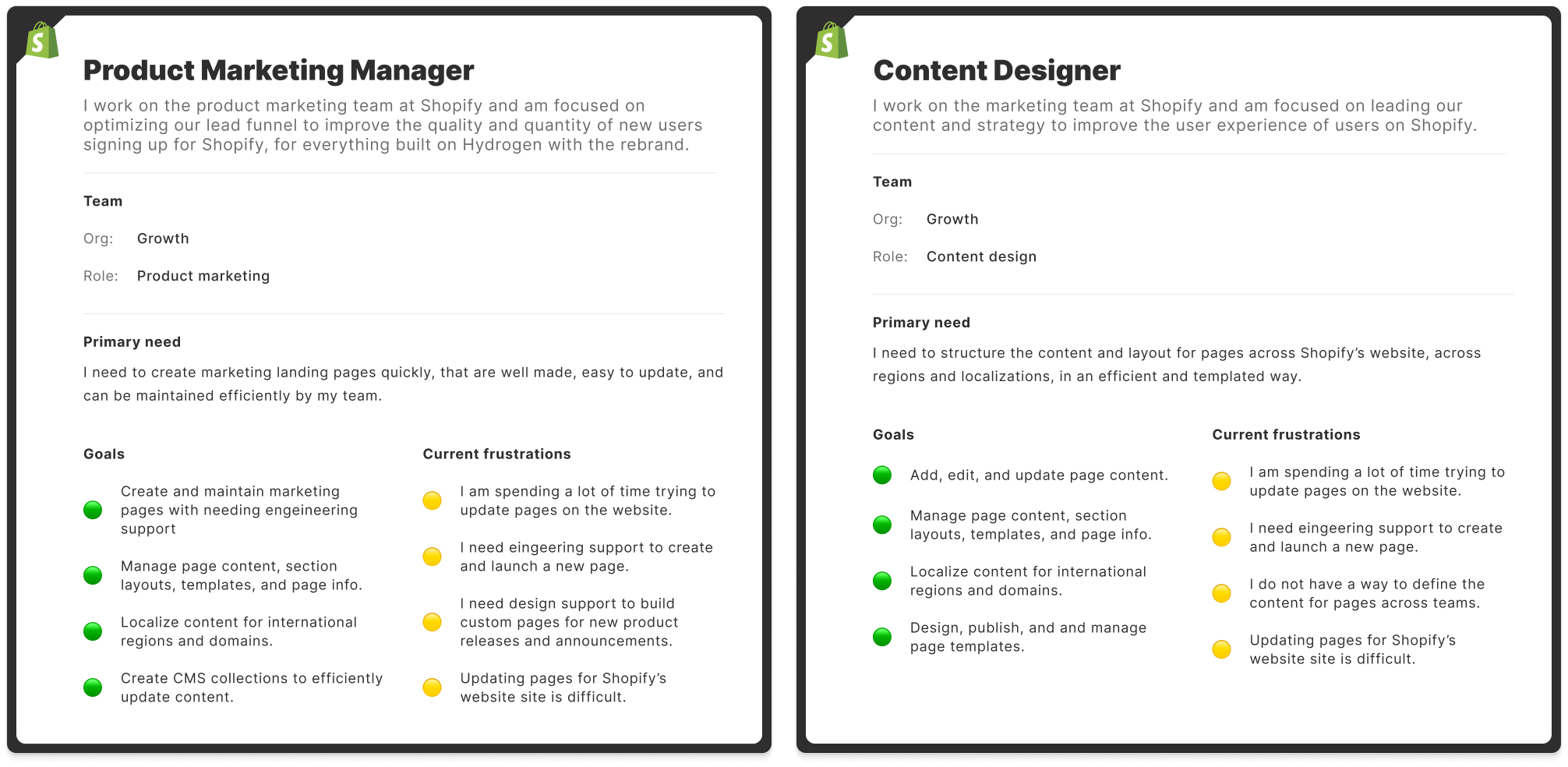
Design a scalable and no-code content management system for Shopify employees to build and launch pages without developer support. These pages need to be able to be translated and localized across international domains and content.
Impact & outcomes
Empowering marketing teams to work autonomously eliminated engineering bottlenecks, resulting in massive operational efficiencies and annual cost savings.
Website pages
150,000+
Primary and secondary pages built and maintained within this custom CMS.
Annual cost savings
$45M
Enabling teams to work autonomously on the website saves company resources.
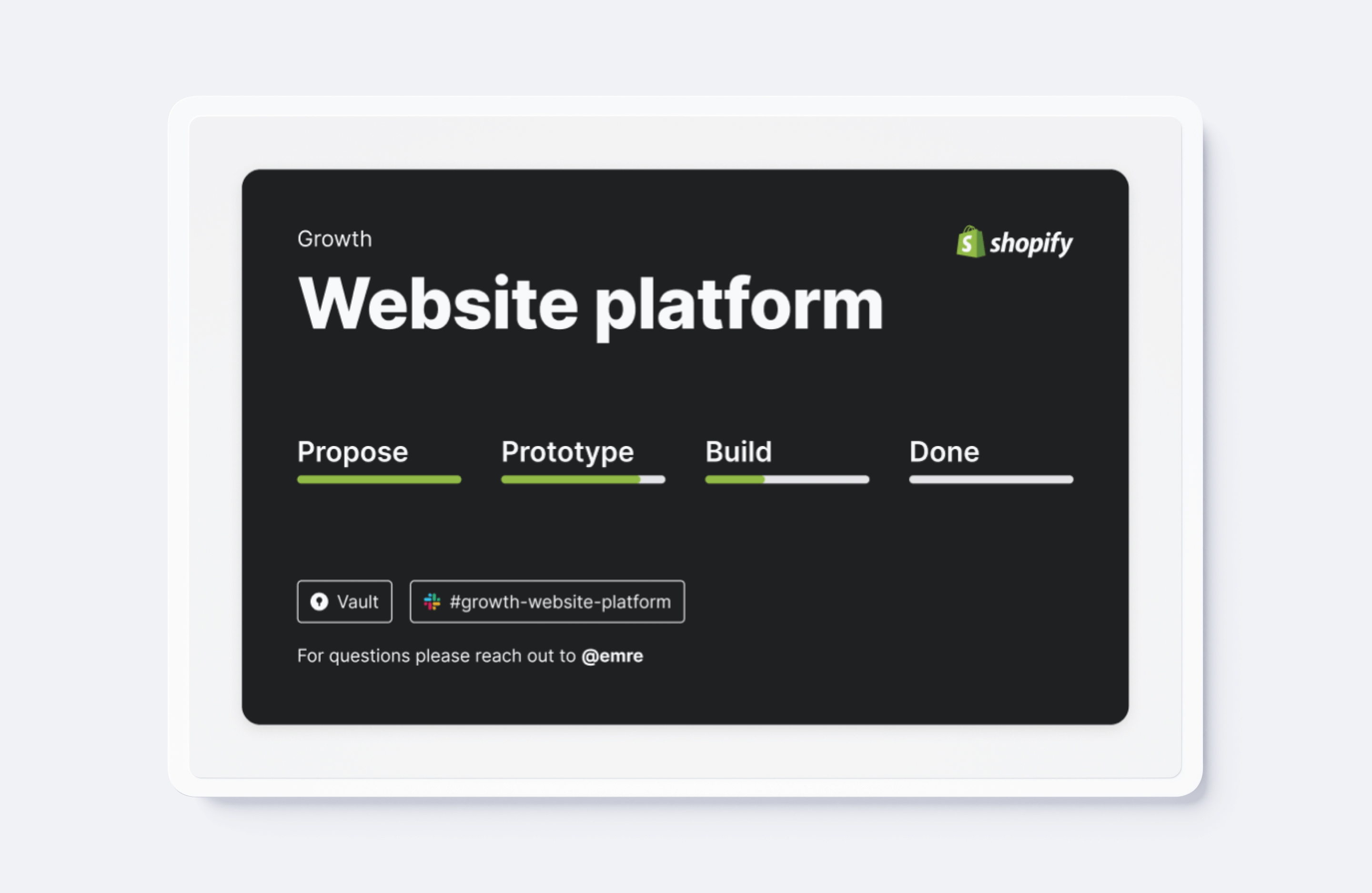
Product roadmap and MVP
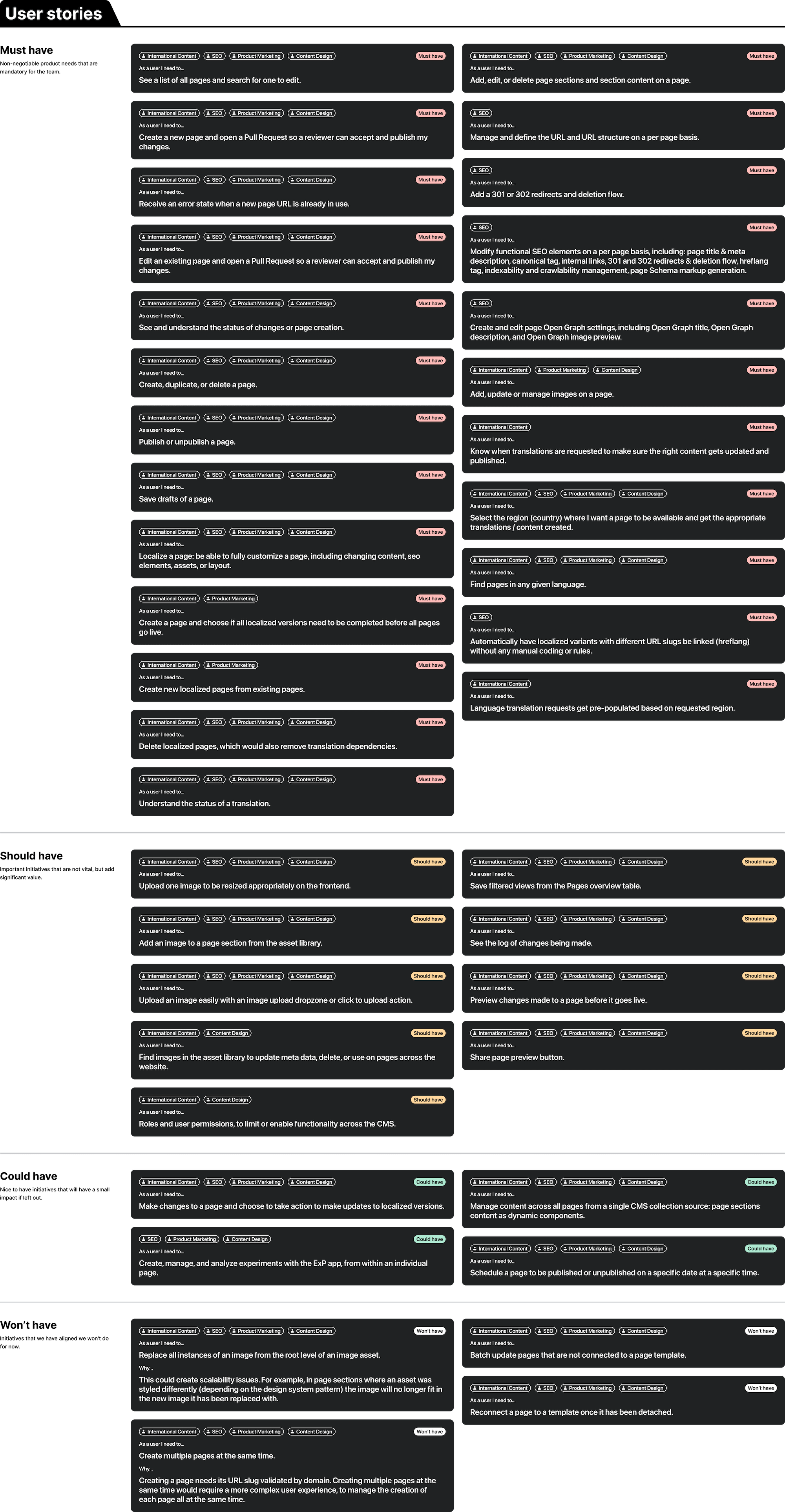
One of the interesting challenges in this project has been finding the balance between limitation and power. On the one hand we want to empower users across the company to manage pages on the website, but on the other hand we want to limit them in such a way that the output of their work is consistent with brand guidelines, best practices, accessibility standards, content design principals, etc. An additional layer of complexity is added to this project since it is being built on top of Github. Every "publish" of a CMS page creates a pull request in GitHub, so we are not working with a standard database to store and pass data.
The Website Platform will provide Shopify with a world-class content management system that delivers on the complex needs of an international SaaS company with millions of monthly visitors. The CMS forms the basis for an entirely new publishing system, set of page components, and localized layout templates that showcase Shopify to the world and supporting marketing across the entire org, especially Brand, Merchant Services, and Core.
The initial design
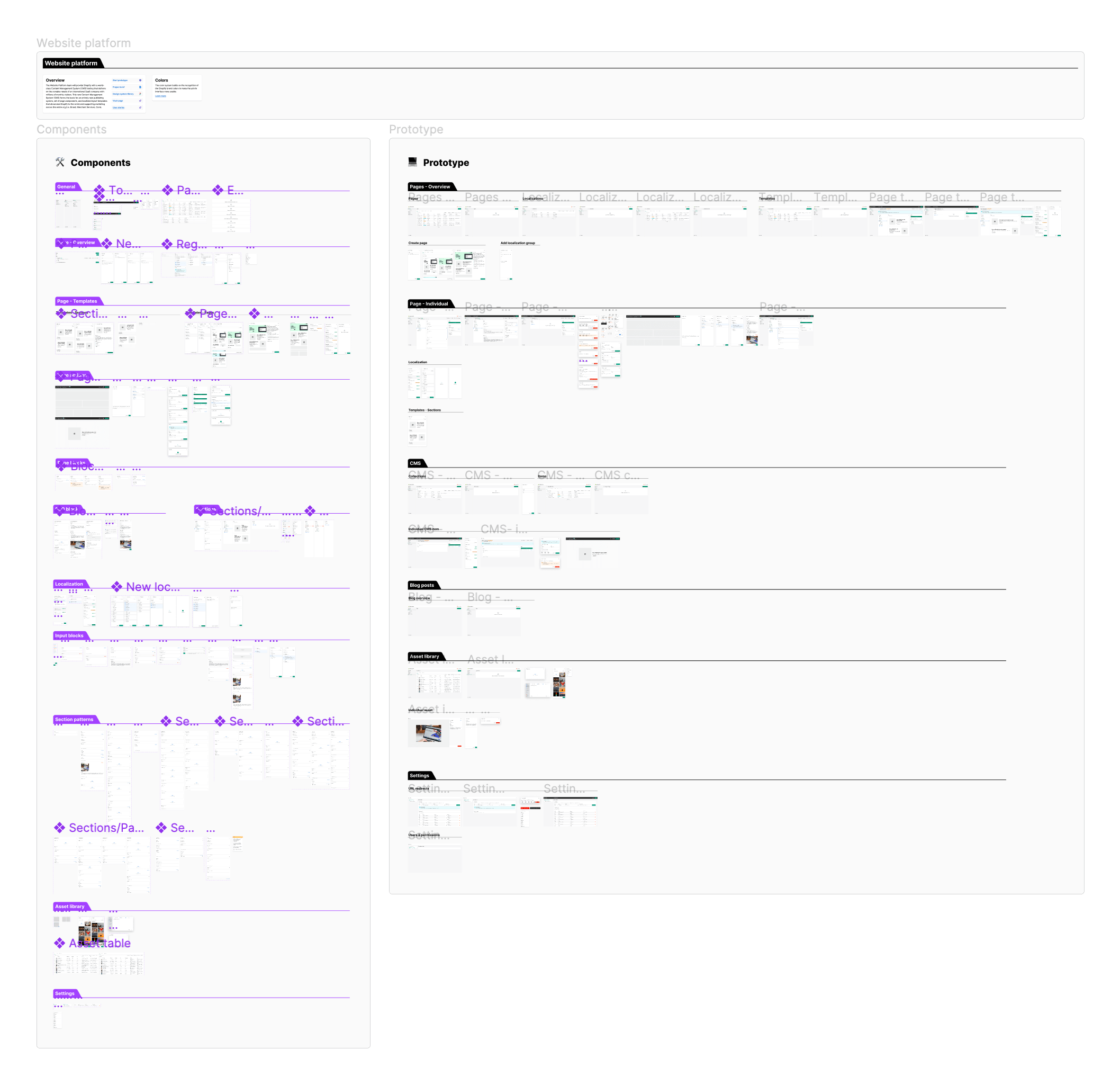
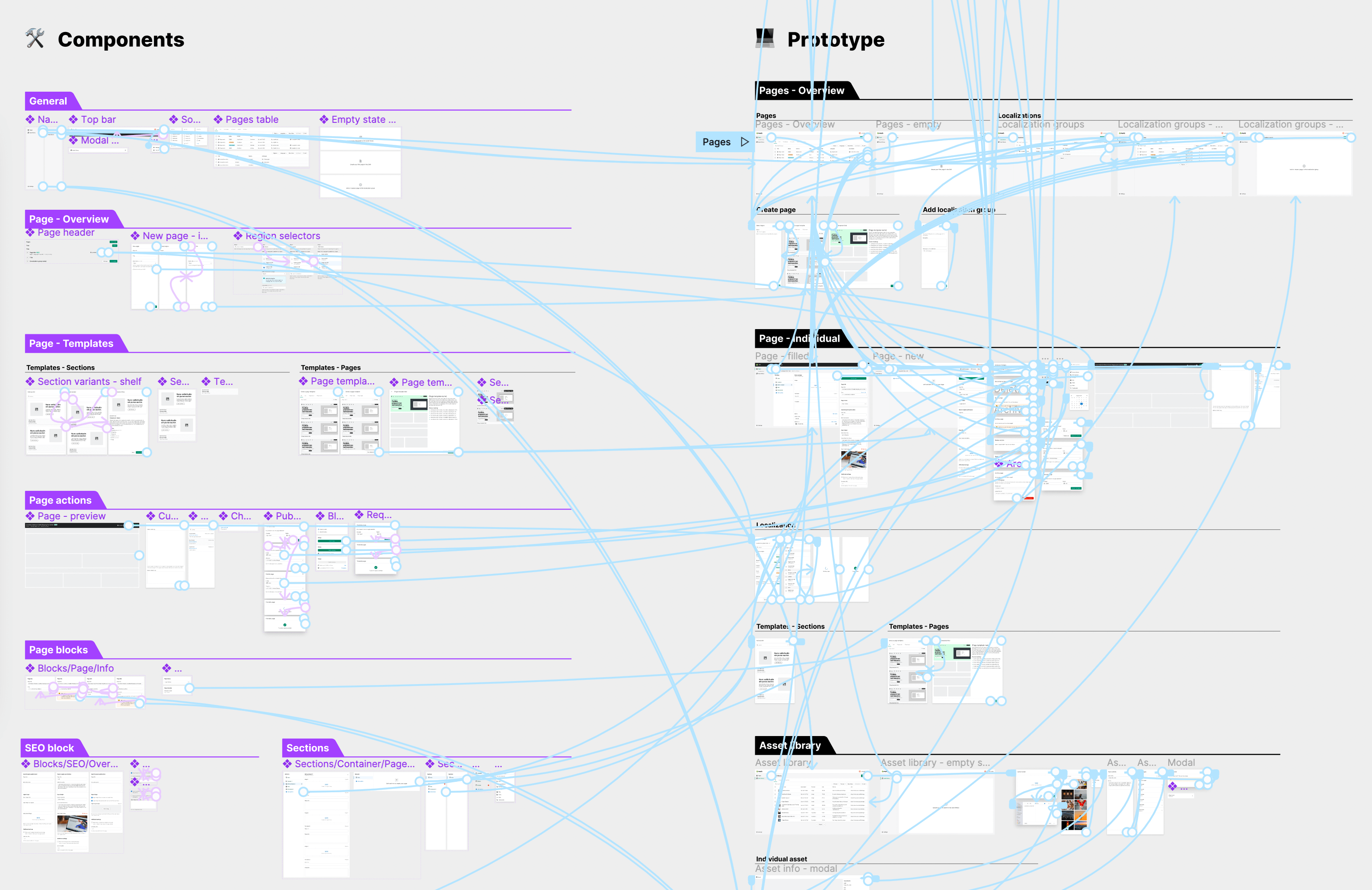
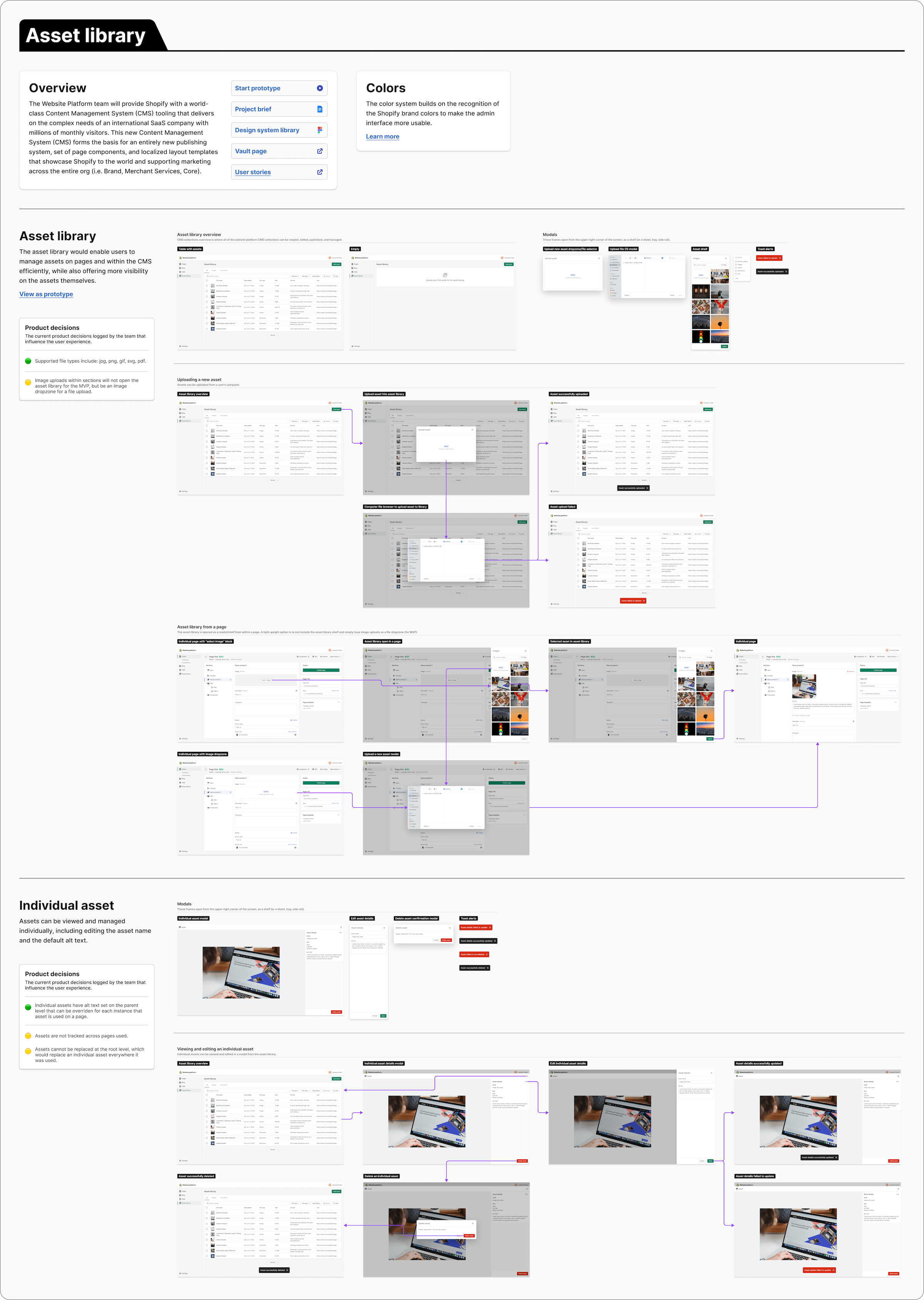
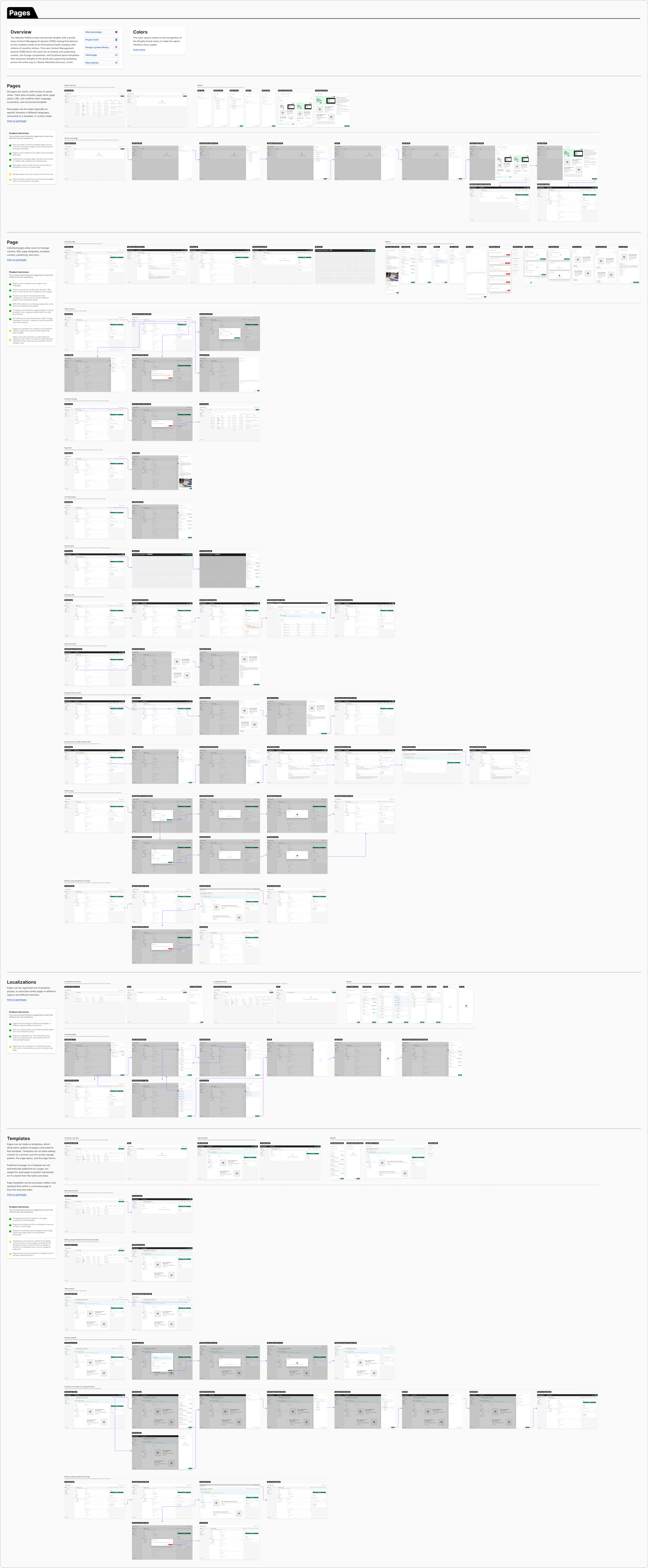
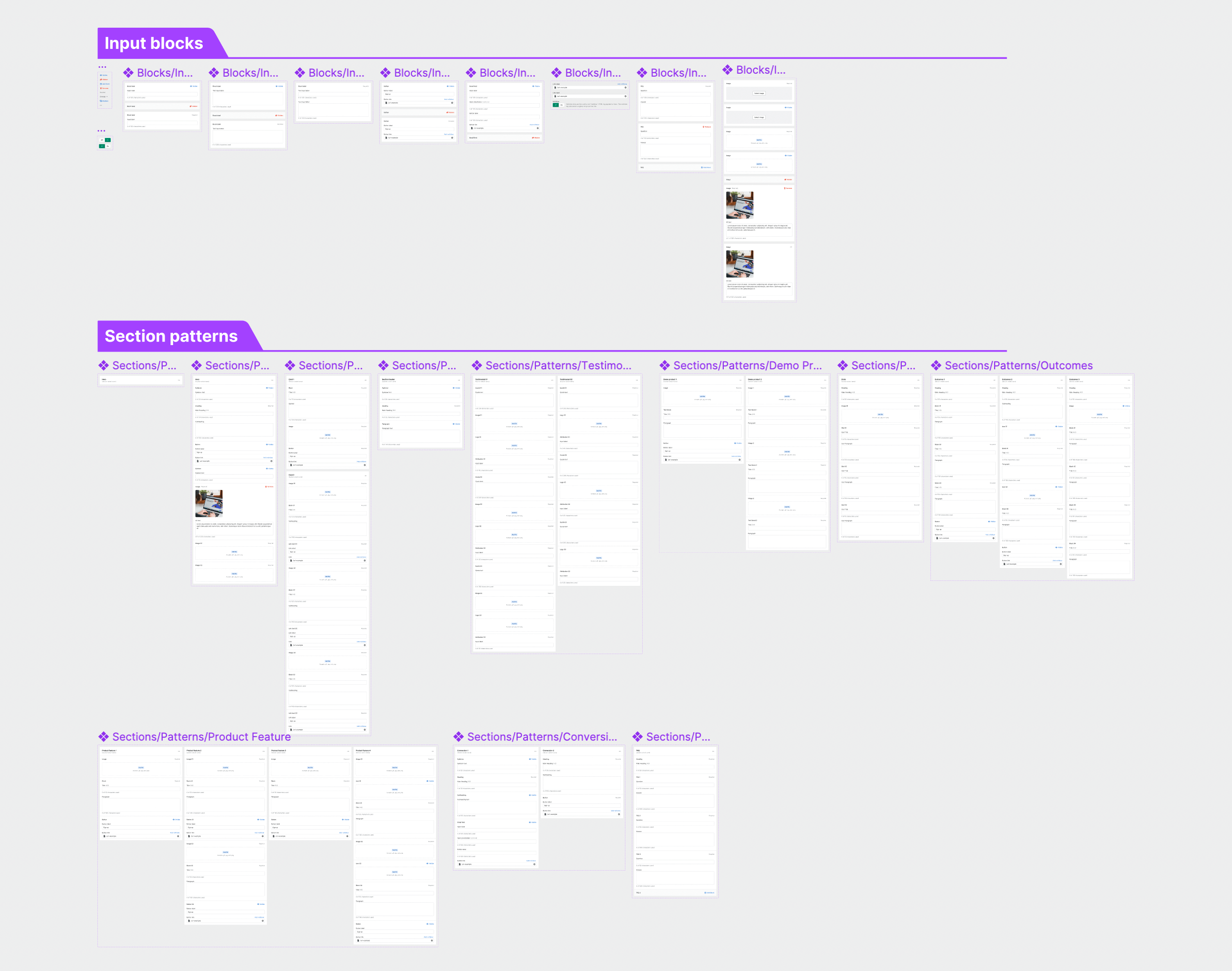
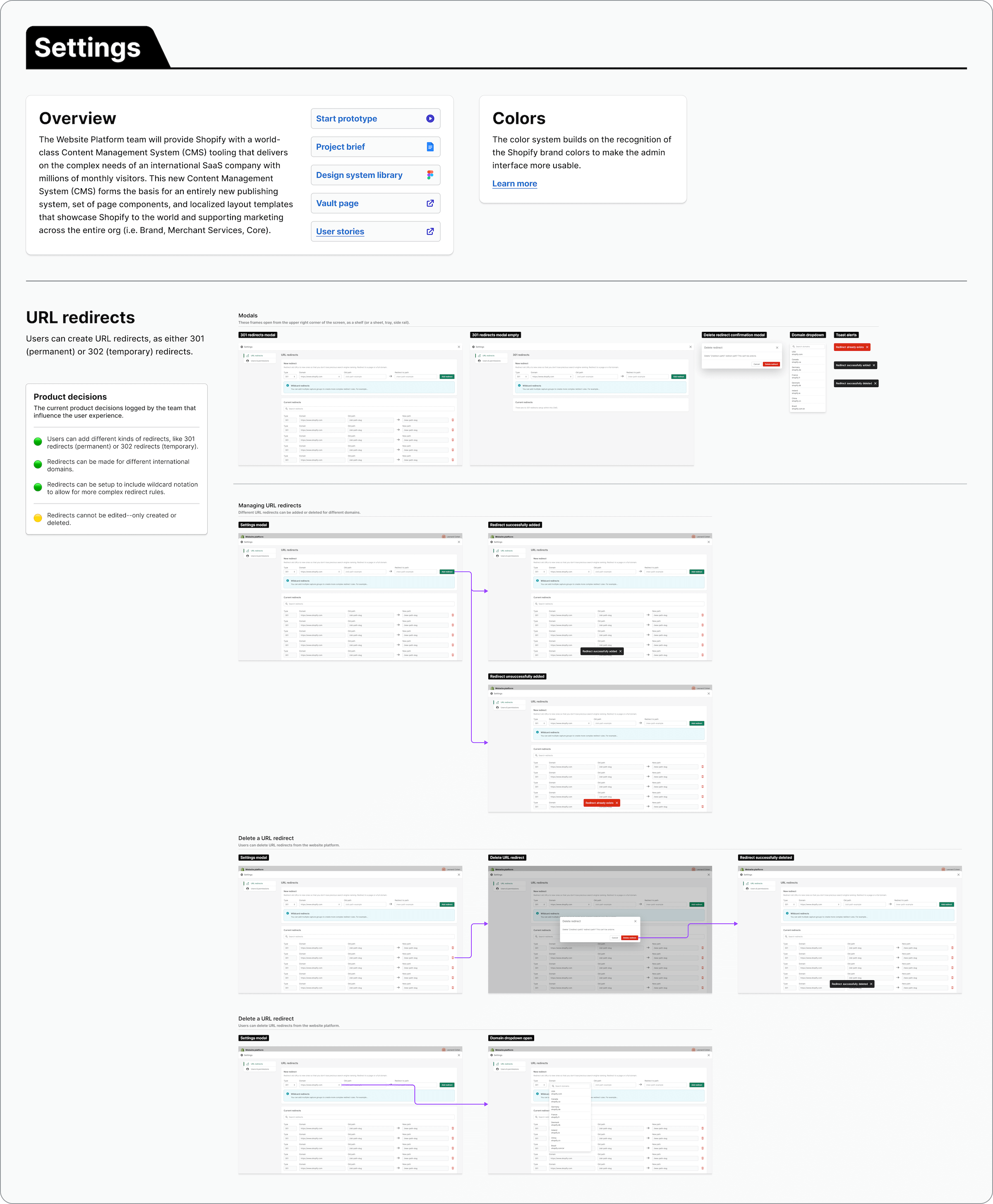
The initial design was explored by two designers for several months prior to me joining the team. To get a sense of the project, the design decisions, and the interface, I redesigned the product. While doing this, I updated some design elements and prototyped the app. This file became the new source of truth for the design team, product managers, senior leadership, and engineering. With the initial review of the product complete, I reorganized the file, added section pattern components, and further explored the asset library. The prototype needed to be refactored in some places to build using components and interactive variants.
Asset library
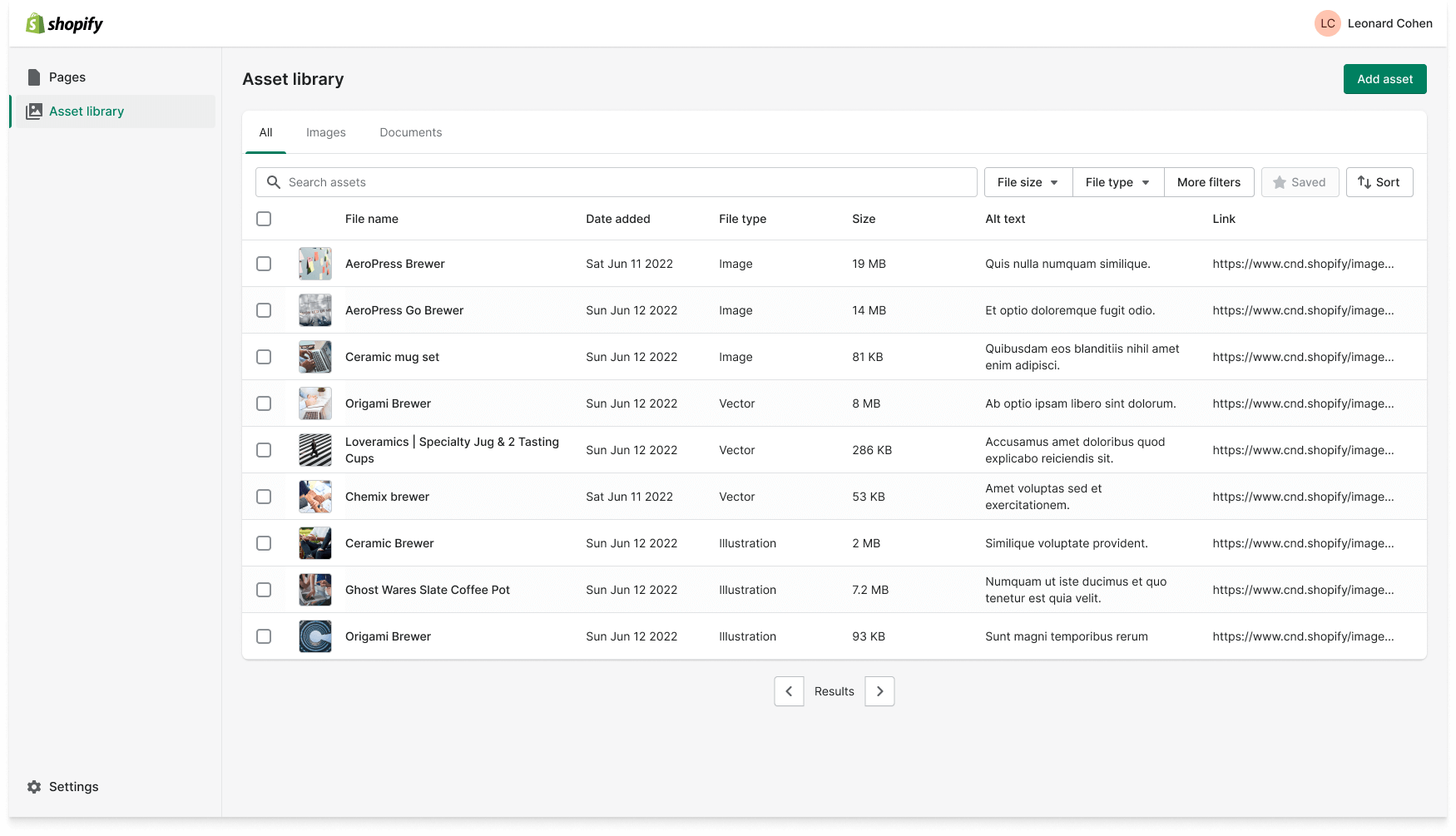
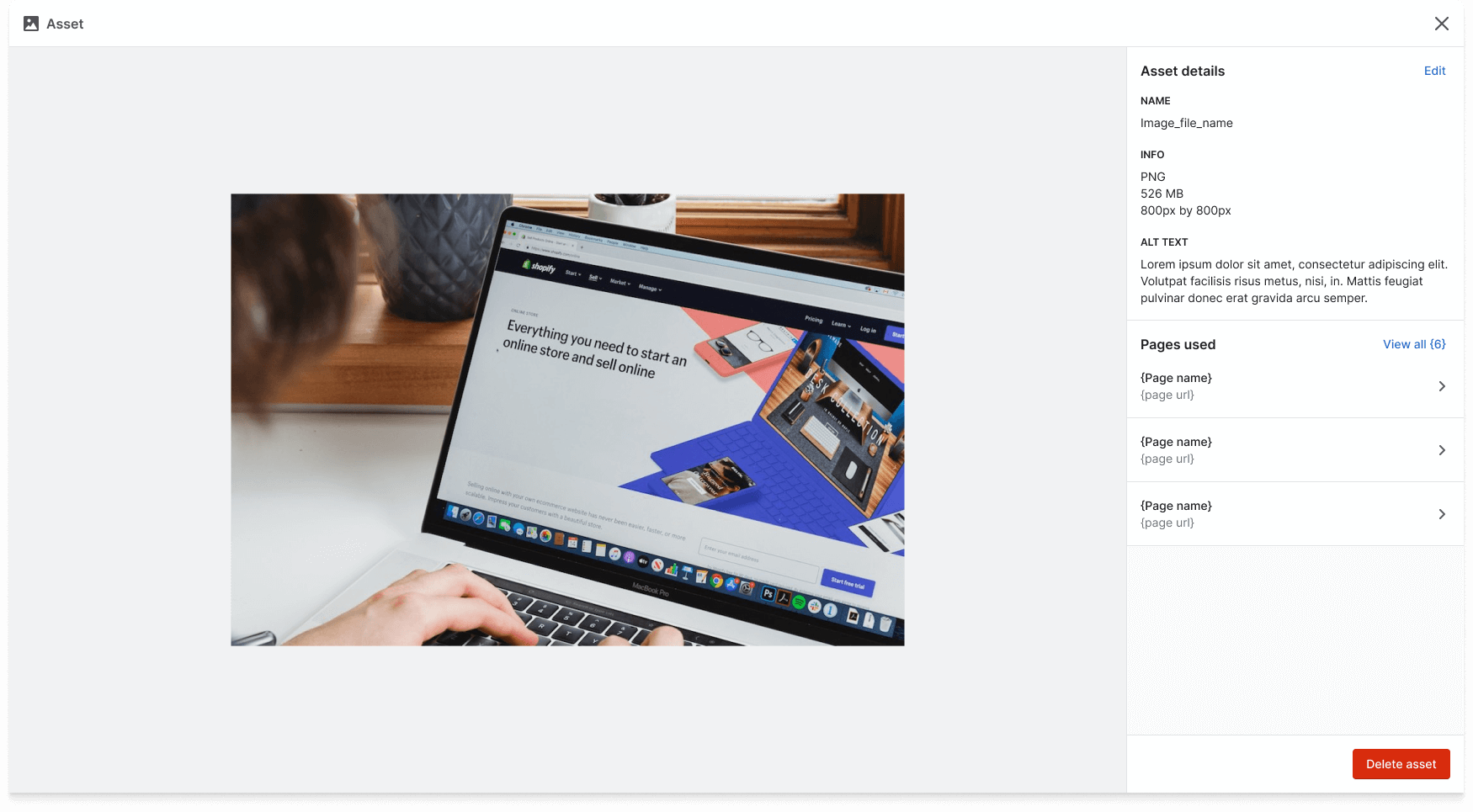
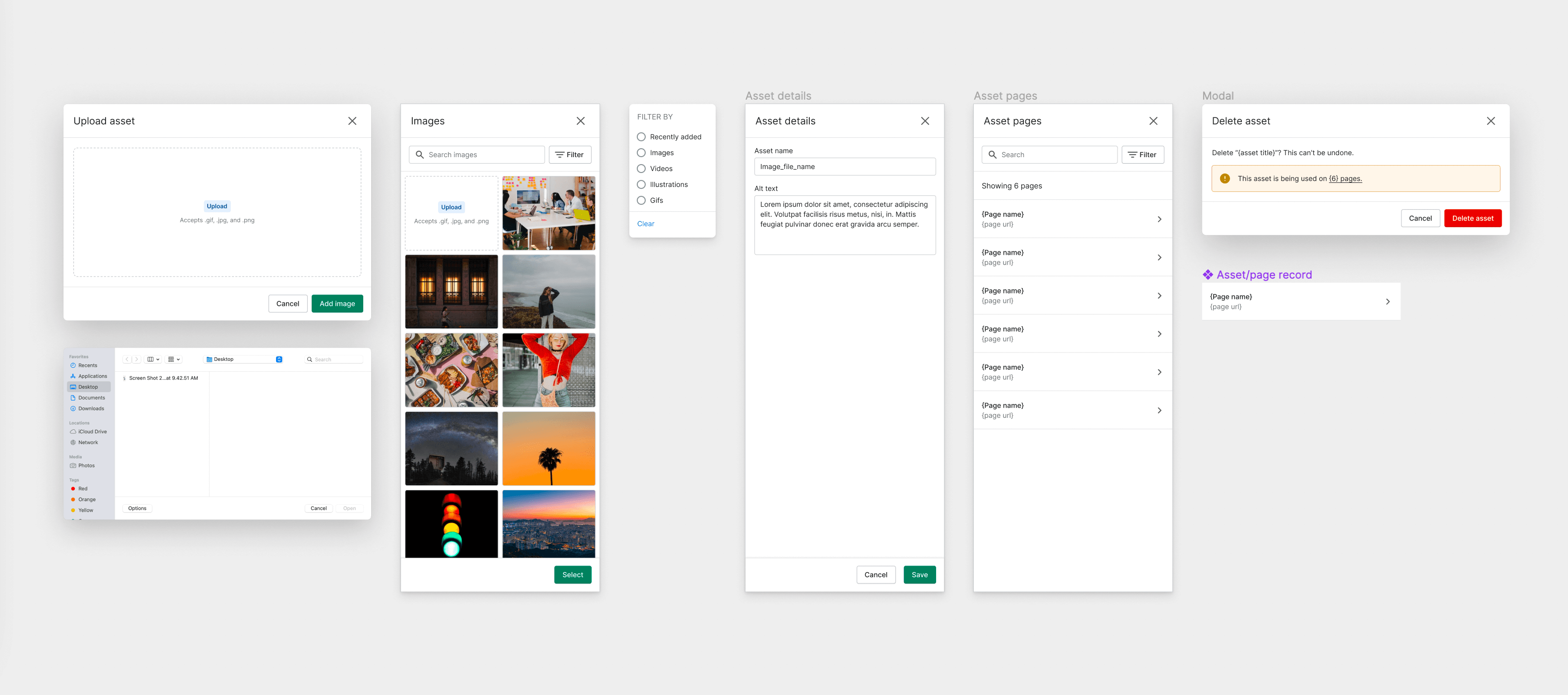
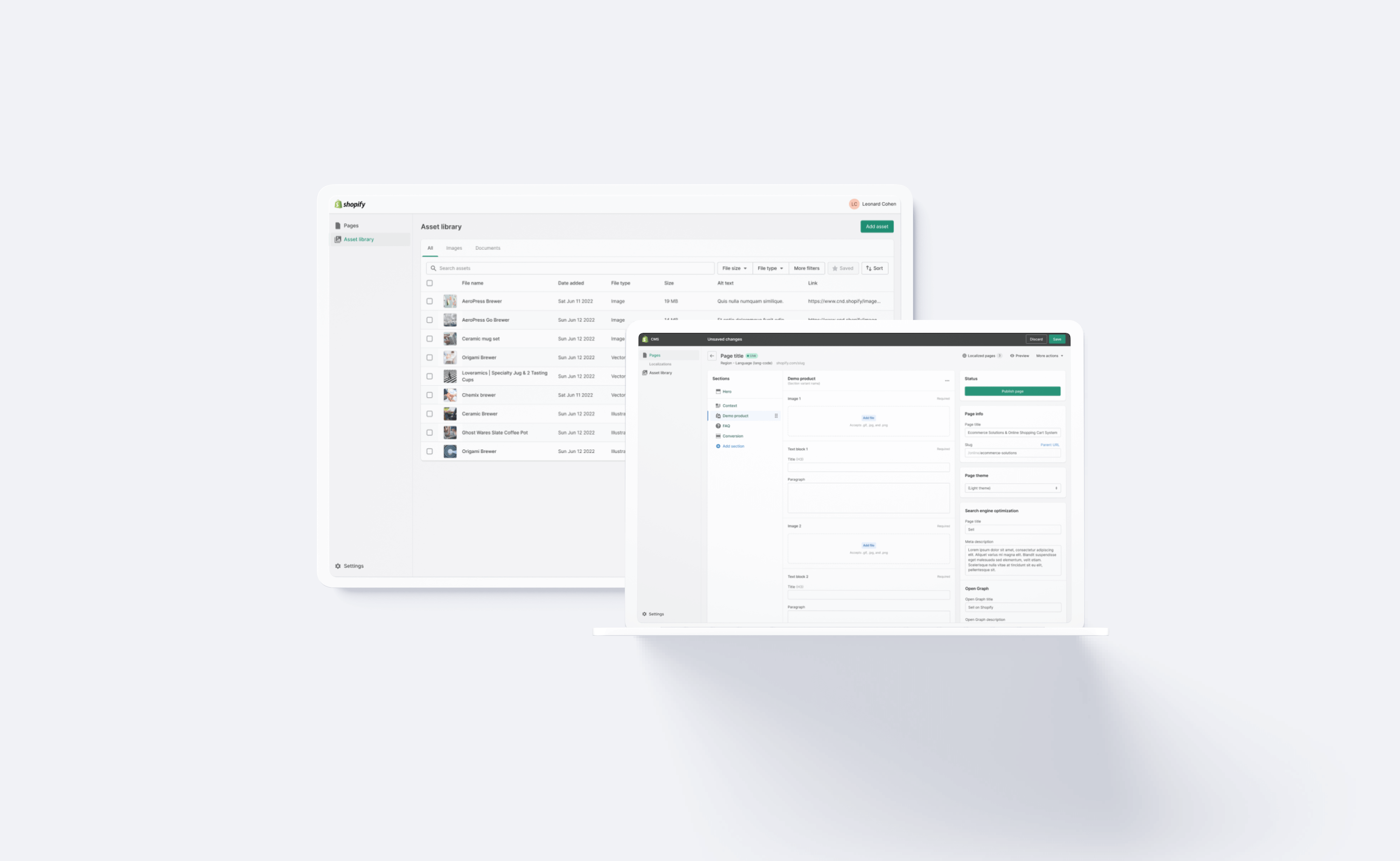
Including an asset library is part of the initial release of the CMS product, to allow users to store and manage their assets. Until the asset library is built into the CMS, all image components within a page section are individual file uploads. Once the asset library is built, these individual file uploads will be replaced by an asset library side shelf component, allowing users to select assets they already uploaded. Each asset has an asset overview page to view file info, update alt text, and see which pages that asset has been used across the CMS.
Pages in the CMS
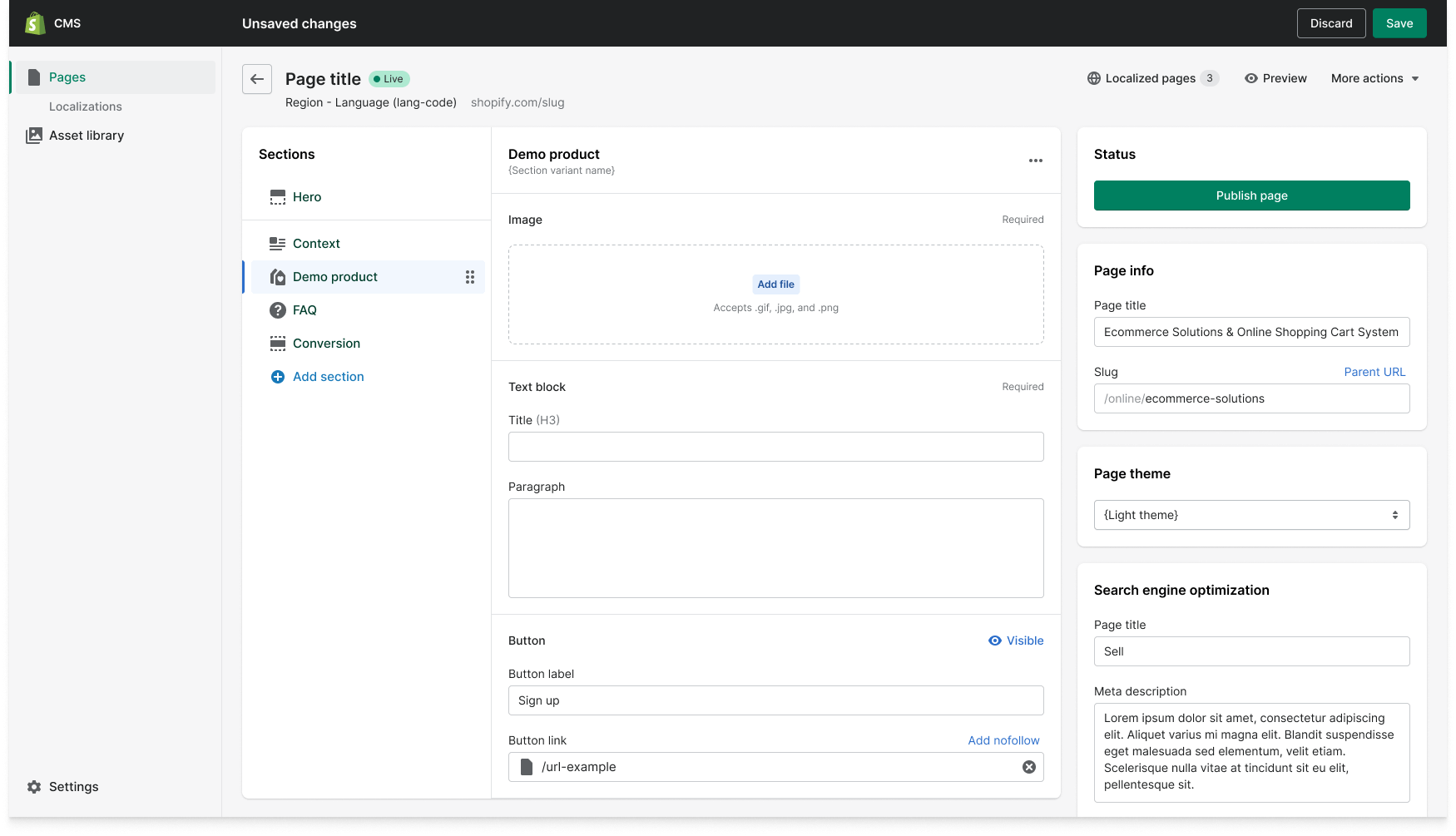
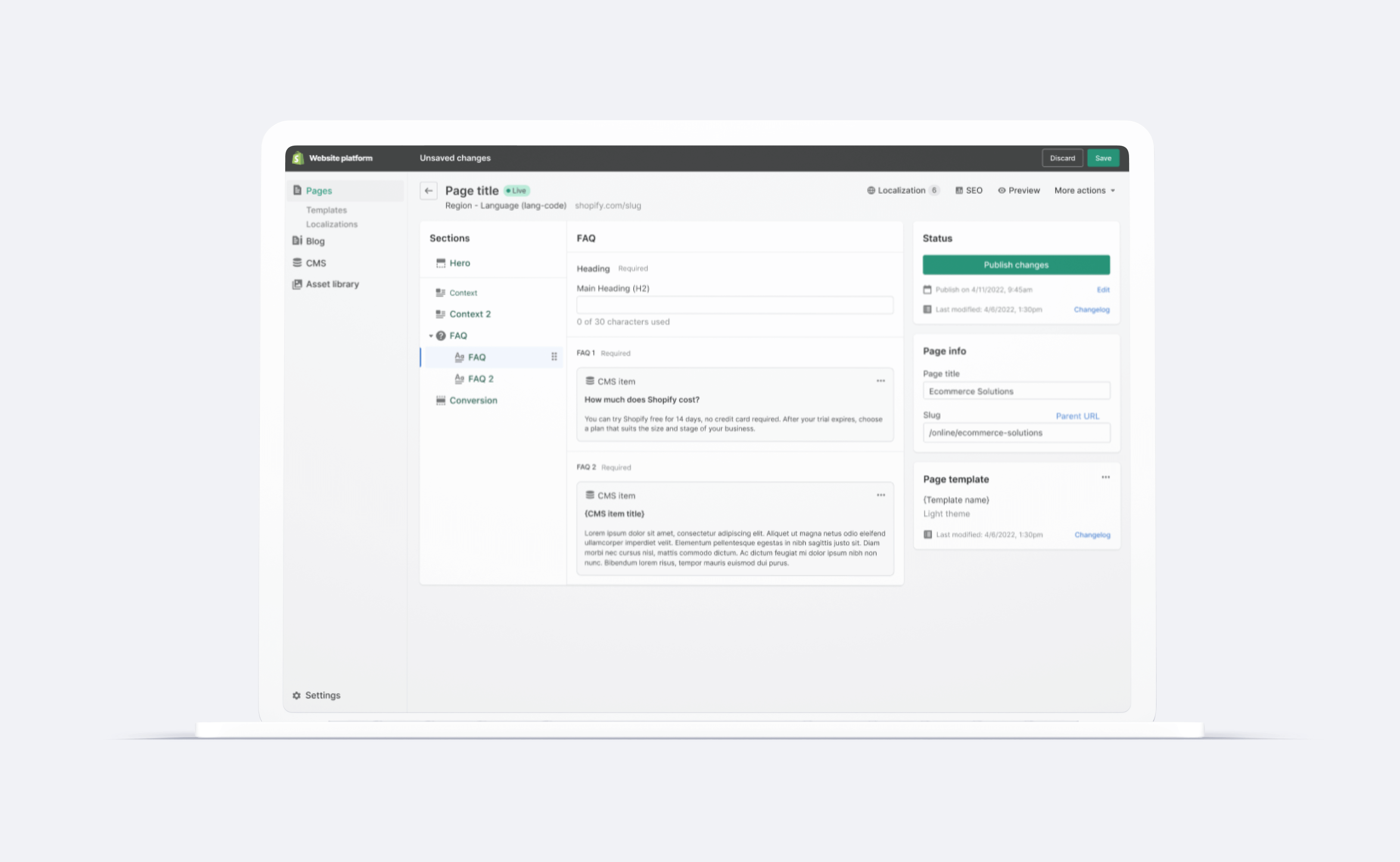
Individual pages are created within the CMS on Shopify's Hydrogen React-based framework, and managed through GitHub. The CMS is the user interface between page level components, page settings, and Github pull requests. Pages are designed using page sections. These page sections are pre-designed templates, created by the rebrand design team. The visual templates define the data schema, which is reflected on the page level by their corresponding input fields. For example, the "heading" in a page section template is a text input, labeled "Title (H1)." This allows more Shopify teams (like marketing and SEO) to build and manage website pages, without needing as much product help (design and engineering).
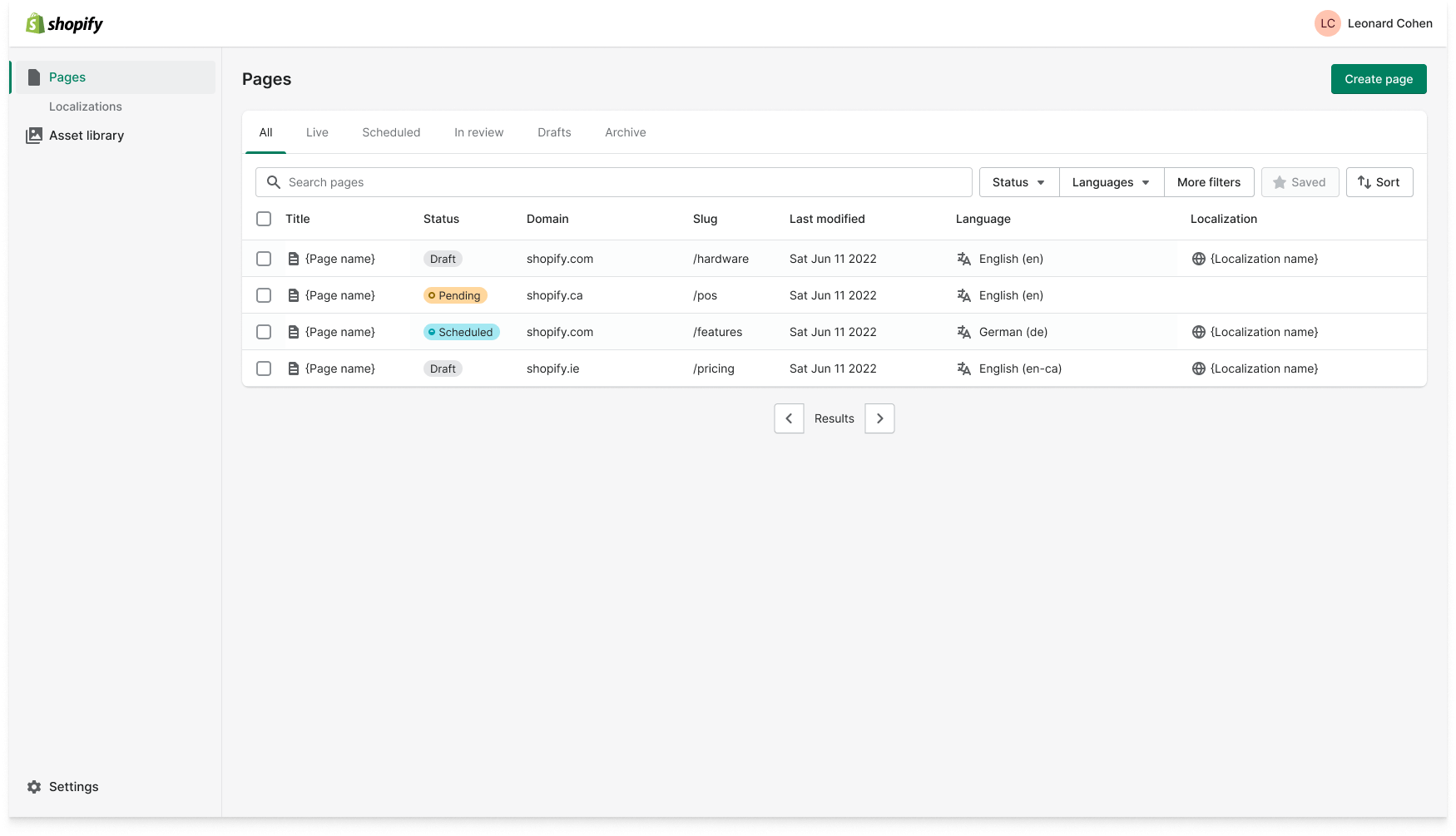
All pages are visible, with access to saved views. Table data includes: page name, page status, URL, last modified date, language, localization, and connected template. New pages can be made regionally on specific domains in different languages, connected to a template, or custom made.
Localization
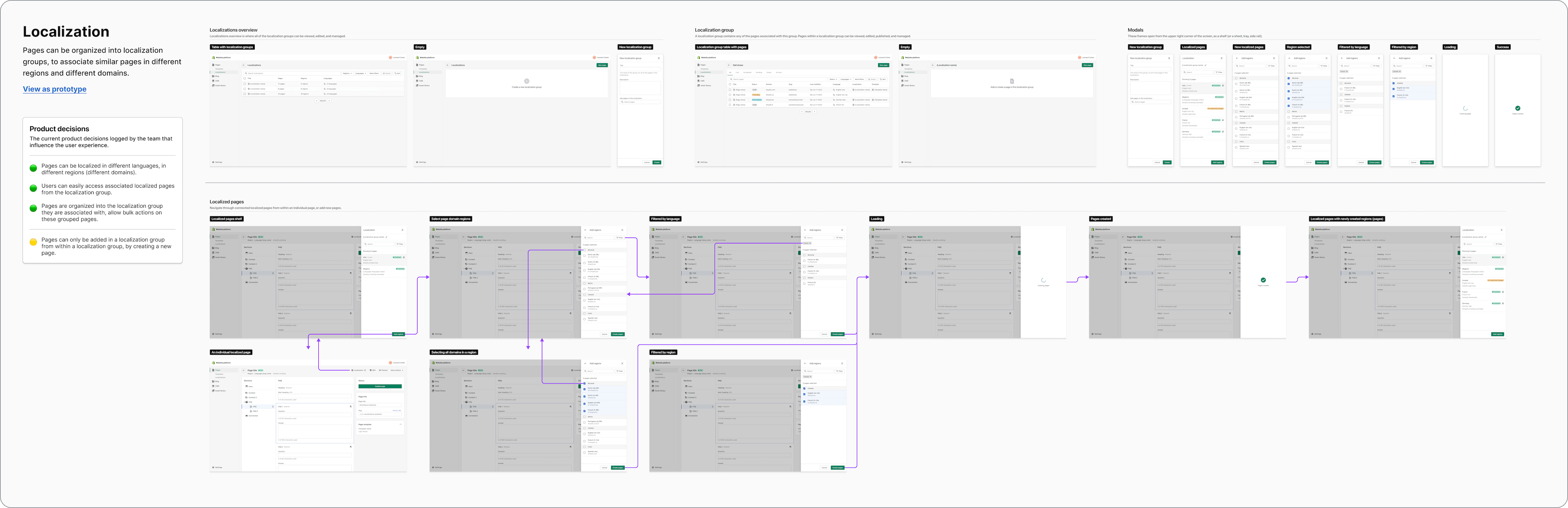
One of the main features that led to designing and building a custom CMS with Shopify was the need to create pages for the brochure site, translate, and customize each page for localized content across all regions and markets around the world. Localized pages are hosted on country specific domains, and the URL slug is also localized. Pages are organized into "localization groups" to quickly switch between localized pages, manage content, and get an overview of which pages are associated with their corresponding page statuses.
CMS collections and items
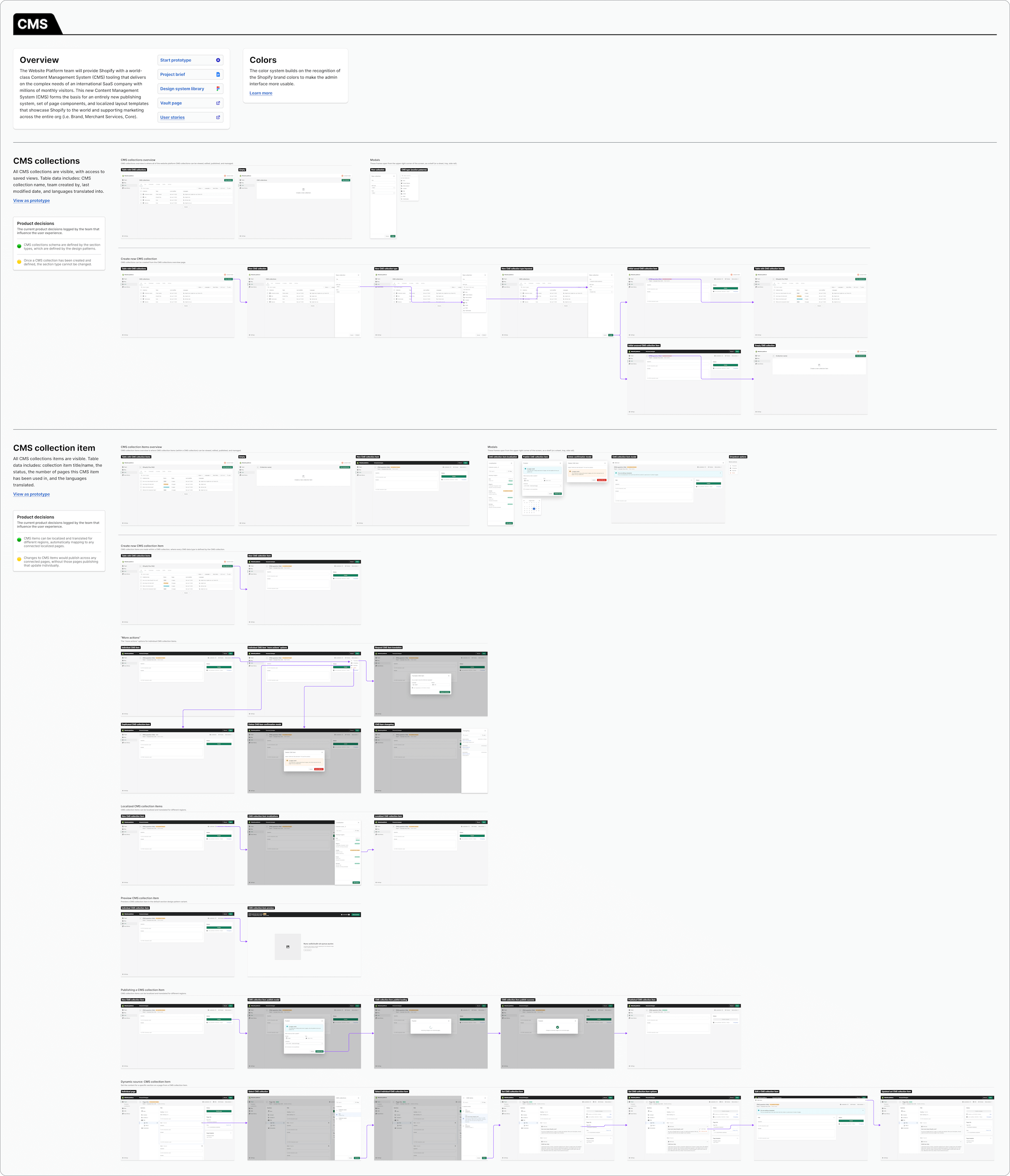
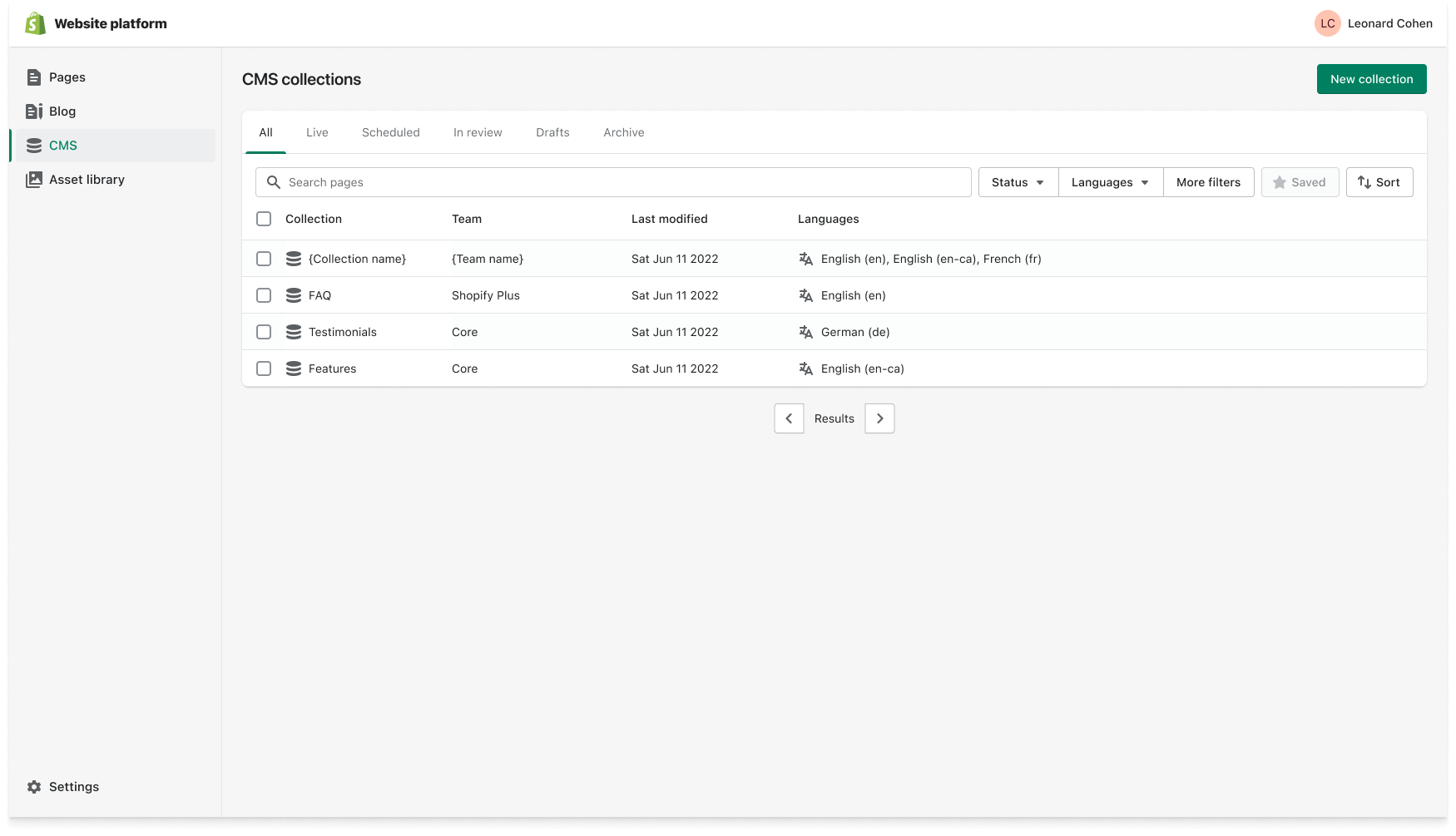
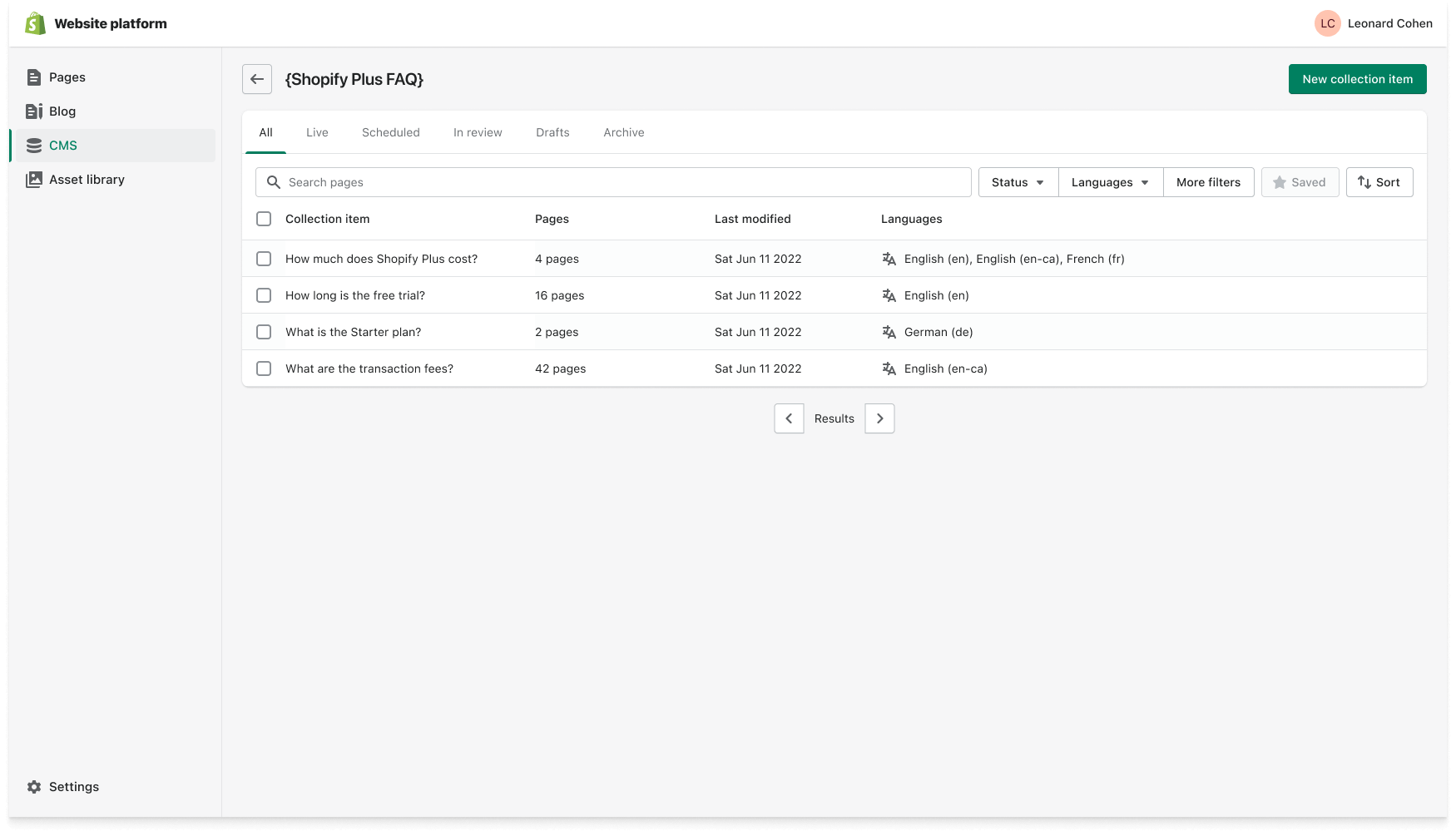
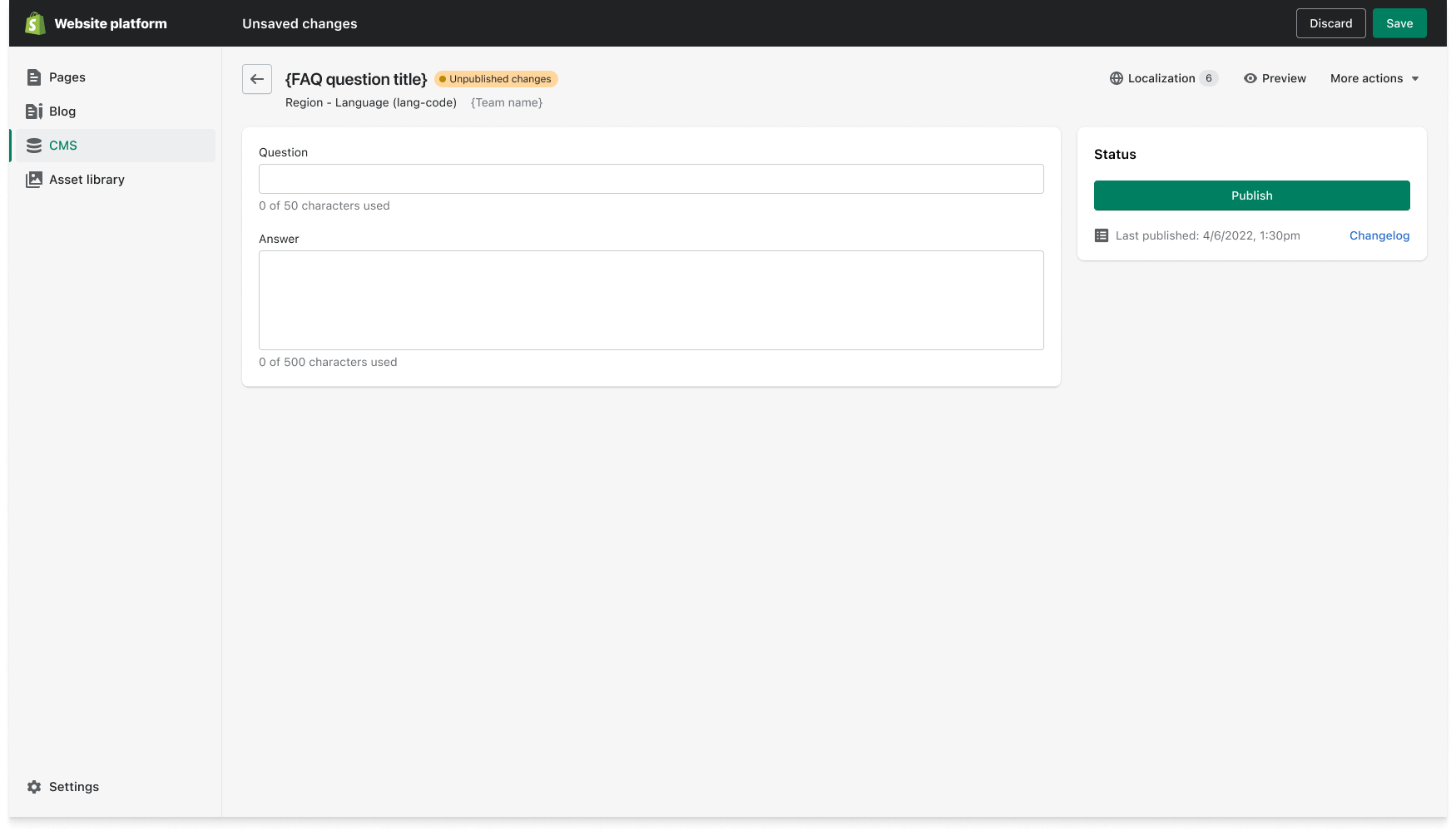
CMS collections contain a library of CMS items, to organize and manage content. This allows teams to create content that can be used across website pages, and be updated across the board. CMS items are then dynamically added to page templates, and automatically mapped to localizations for the correct translations across localized pages. Each CMS item data type is defined by the section templates that comprise the page components.
Skills & competencies
Key areas of expertise and methodologies applied during this project.